City halls deal with nonstop requests, questions, forms, payments, permits, you name it. When staff bounce between different tools to track all that, things slip. Follow-ups get missed, people rely on sticky notes or calls, and the whole process slows down. Citizens feel it immediately.
A centralized customer service dashboard fixes that by pulling everything into one place. Walk-ins, appointments, online requests, updates, all visible in real time. Teams know what’s happening across departments without digging around, which means faster responses and shorter lines.
This blog breaks down why a centralized service desk dashboard matters and how it can make day-to-day work in city halls a lot smoother.
Why Every City Hall Needs a Centralized Service Dashboard
A centralized customer service dashboard gives city halls one place to manage citizen requests, track progress, and streamline communication. Let’s take a look at how it transforms daily operations.
1. Faster Resolution of Citizen Requests
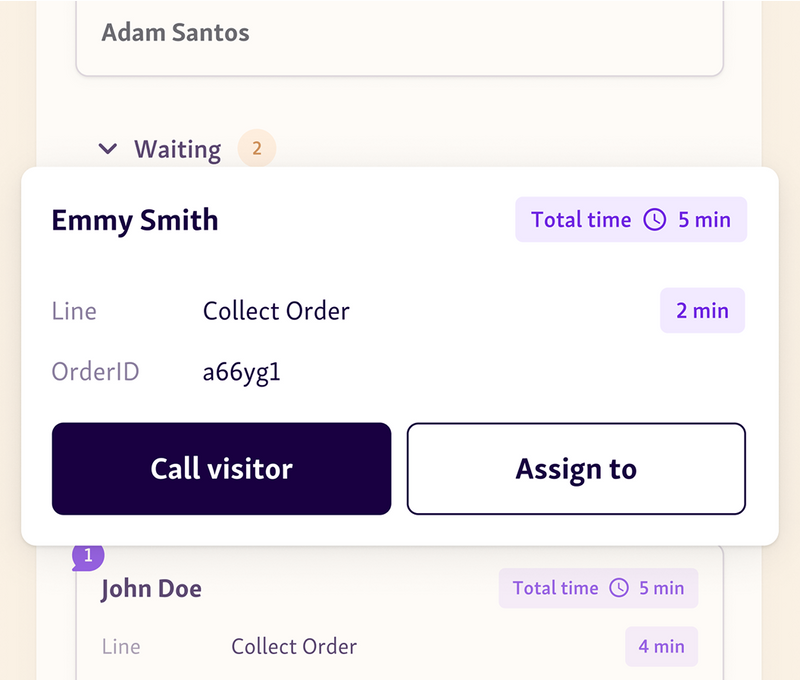
When everyone is looking at the same dashboard, things stop getting lost. A centralized customer service dashboard puts every request, update, and note in one place. Staff don’t have to dig through old emails or chase someone down the hall to figure out what’s happening, they just open the screen and see it.
What this changes:
Fewer slowdowns from mixed-up communication
Teams update and assign tasks as soon as they come in
Requests land with the right department right away
Follow-ups don’t slip through the cracks anymore
Example: Someone reports a streetlight issue online. The public works team sees it pop up instantly, assigns it, and marks the status. No waiting for another department to “send it over,” no guessing who owns it.
2. Improved Transparency and Trust
When people submit a request, the worst part is not knowing what happens next. A centralized service dashboard fixes that. Citizens can see real status updates, who’s working on their issue, and roughly how long it might take. That level of visibility makes the whole process feel a lot more honest and less frustrating.
What this improves:
People can check progress without calling the office
Clear timelines help manage expectations
Consistent updates build trust over time
Staff deal with fewer “any update?” messages
Example: Someone reports a pothole and later sees it move from “assigned” to “in progress.” Even that small update reassures them the request isn’t sitting forgotten on someone’s desk.
3. Better Inter-Department Coordination
A centralized customer service dashboard gives every team one place to check requests. No extra emails. No hunting for forms. Everyone sees the same updates as they happen, which keeps work moving instead of stalling.
What improves:
Fewer mixed or outdated updates
Handovers stay clear because all info is in one spot
Multi-step tasks move faster between teams
Tasks don’t get lost because ownership is obvious
Example: For a building permit that needs zoning and fire safety approval, both teams work from the same request. Nothing gets misplaced, and the resident doesn’t have to repeat information.
4. Enhanced Workforce Efficiency
A centralized service dashboard helps city staff work smarter, not harder. With real-time visibility into all incoming requests, teams can instantly identify high-urgency issues, assign them to the right people, and keep work moving without manual sorting.
Key improvements:
Automated routing reduces administrative workload
Staff spend less time triaging and more time resolving
Priority tagging ensures critical cases are addressed first
Clear workloads help supervisors balance teams effectively
Example: When several water outage reports come in at once, the service desk dashboard flags them as high priority and routes them to the utilities team automatically.*
5. Data-Driven Decision Making
A shared service dashboard gives city halls real numbers to work with. You see which requests slow down, when traffic spikes, and where teams fall behind. The analytics data makes planning easier and keeps decisions grounded in facts instead of guesses.
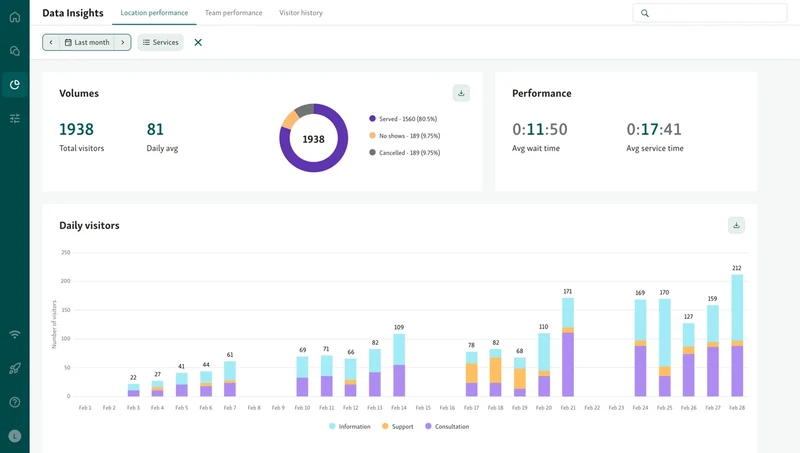
This helps you:
Spot repeat delays
Plan staff around busy hours
See how each team is doing
Use data when asking for budget or tools
Example: If bulky waste tickets always spike on Fridays, the dashboard shows it right away so the team can adjust before things stack up.
Helpful read - How Local Governments Can Use Data-Driven Insights to Improve Queue Flow and Citizen Satisfaction
6. Accessible Services for All Citizens
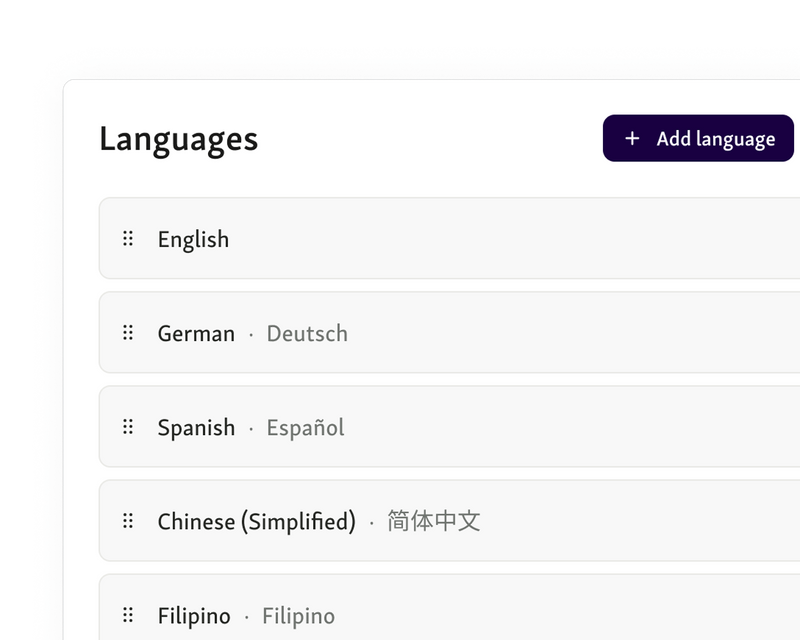
A centralized service dashboard makes it easier for every resident to get help, no matter their situation. People can fill out forms online, choose their language, and use layouts designed for accessibility. It removes a lot of the barriers that usually slow people down.
This helps by offering:
Access from home or a phone
Language options for different communities
ADA-friendly design
Clear steps for anyone using the service for the first time
Example: A resident who can’t travel easily can send in a permit request online and follow the updates in the dashboard instead of standing in line.
7. Reduced Physical Crowding and Wait Times
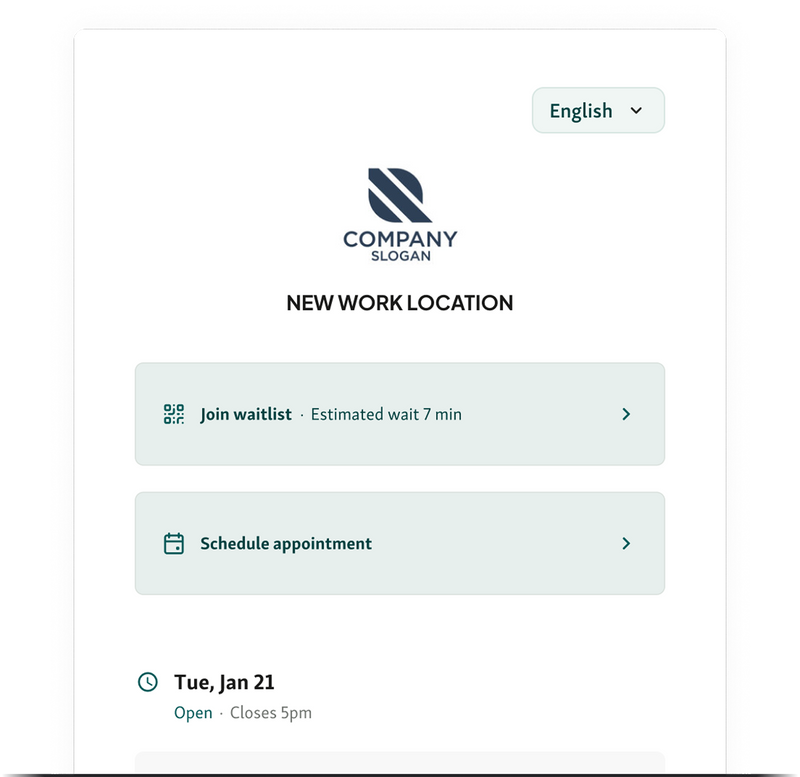
A centralized service dashboard from tools like Qminder cuts down the number of people waiting inside. Residents can check in from home, send their details ahead of time, and only come in when they’re close in line. That keeps the lobby manageable and makes the flow easier for staff.
This helps with:
Shorter indoor waits
Less crowding during busy periods
More predictable foot traffic
Faster processing since info is already logged
Example: Instead of a room full of people waiting for permit help, residents join the queue online and walk in only when they get the alert.
Also read - Why Every Government Office Should Use a Service Dashboard
How to Successfully Implement a Centralized Dashboard
A dashboard only works if the rollout is simple and everybody understands how it fits into daily work. Think of it as shifting to one shared system, not just adding another tool.
Step 1 – Stakeholder Alignment
Bring front desk, IT, and department leads together early to agree on goals and responsibilities.
This ensures everyone understands how requests should move across teams.
For example, the front desk can share common issues while IT explains what can be automated and leads confirm who owns each request type.
Checklist:
Identify all involved groups
Define main request categories
Agree on routing and escalation rules
Set expected response times
Document the basic workflow
Step 2 – Phased Rollout
Start by rolling out the workflow to one or two high-volume teams before expanding. This helps you find and fix issues early without disrupting the entire organization.
For instance, you might begin with Public Works and adjust routing rules if requests get stuck in “Pending Assignment” before adding another department.
Checklist:
Select 1–2 pilot departments
Track early bottlenecks
Fix routing, communication, or data issues
Confirm stable performance
Extend rollout to additional teams
Step 3 – Training & Communication
Give staff clear guidance on updating, routing, and escalating requests.
At the same time, let residents know where they can follow progress.
For example, staff can learn how to add notes or reassign tasks, while residents receive links to track status online or through email updates.
Checklist:
Provide short, focused trainings
Share simple guides or screenshots
Teach reassignment and escalation steps
Inform residents where updates are posted
Offer a non-digital option when needed
Step 4 – Ongoing Review
Use dashboard data to continually refine the workflow and catch issues early.
This keeps the process efficient as request volume or staffing changes.
For instance, if approvals regularly cause delays, you can reassign that step or enable auto-approval for straightforward cases.
Checklist:
Review metrics weekly
Identify slow steps or backlogs
Update routing or responsibilities
Adjust workloads when needed
Refresh documentation as the process evolves
A Smarter, Faster Way for City Halls to Serve Citizens
A central customer service dashboard gives city halls a clearer way to handle daily requests without jumping between tools or losing track of what’s pending. It cuts down on backlogs, makes handoffs easier, and helps staff stay focused on the actual issue instead of the paperwork around it.
Citizens also benefit, they can see what’s happening with their request, get updates, and avoid guessing how long something will take.
If your team needs a simple, steady system that fits public-service work, Qminder has a dashboard built for that kind of environment.
Book a Qminder demo and see how it works.
A service dashboard can manage everything from permit applications and utility inquiries to complaints, appointment requests, and document submissions, all in one place.
Yes. Most customer service dashboard tools can connect with CRM platforms, payment systems, document management tools, and legacy databases so departments don’t need to rebuild their tech stack.
Modern service desk dashboards include role-based access, audit logs, encrypted data handling, and compliance options designed specifically for municipal and public-sector security requirements.
Get to know the author

Aleksandra Sõsun Product Marketing Lead at Qminder
Get to know our solutions
We will give you a short but great overview of how Qminder can improve your business and visitors experience.
Try out Qminder for yourself and see how we can improve your business and visitors experience.