

Tracking ROI from a queue management system isn’t just about proving value after the fact. It’s about understanding what’s actually improving when queues are managed well.
With the right ROI tracking in place, organizations can move beyond gut feeling and start using real data to justify decisions, budgets, and operational changes.
A solid ROI report shows how a queue management system reduces wait times, improves staff efficiency, lowers no-shows, and creates smoother customer experiences. Modern queue management system software makes this easier by capturing service data automatically and turning it into usable insights.
This guide breaks down how to approach ROI reporting for queue management systems, what metrics matter most, and how to connect operational improvements directly to measurable business outcomes.
What Metrics Matter Before Implementing a QMS
ROI tracking only works when you know what performance looked like before a queue management system was introduced. Here are some of the metrics you need to be tracking:
Operational Metrics
Average wait time
This measures how long visitors wait before being served. It’s one of the clearest indicators of service efficiency and a core input for ROI tracking, since reduced wait times often correlate with higher satisfaction and lower abandonment.
Service time per visitor
This tracks how long staff spend serving each visitor once service begins. It helps identify process inefficiencies and skill gaps, and it’s essential for understanding whether a queue management system software improves throughput or simply shifts delays elsewhere.
Queue length during peak hours
This shows how demand stacks up when traffic is highest. Tracking peak-hour queue length before implementation helps you measure how well a queue management system smooths demand, redistributes load, and prevents bottlenecks that lead to walkouts or staff overload.
Staffing and Cost Metrics
Staff utilization rates
This shows how much of staff time is spent actively serving visitors versus waiting or handling interruptions. It’s a critical input for ROI tracking because better queue management systems often improve utilization without increasing headcount.
Overtime hours
Overtime reflects hidden operational strain. Tracking overtime before implementation helps ROI reporting show whether a queue management system software reduces last-minute staffing pressure caused by poor demand visibility or uneven workloads.
Cost per visit or transaction
This combines staffing, time, and operational costs into a single number. It’s one of the most useful ROI metrics, because any reduction after implementing a queue management system directly translates into measurable financial impact.
Customer Experience Metrics
No-show rates
This measures how often visitors fail to arrive for scheduled service. For ROI tracking, no-shows represent wasted capacity. A queue management system can reduce this through better visibility and reminders, making changes here easy to tie back to ROI reporting.
Abandonment rates
Abandonment tracks how many people leave before being served. High abandonment signals long waits or unclear processes. Monitoring this metric before and after rollout helps show whether queue management systems are reducing walkouts and protecting demand.
CSAT or feedback scores
Customer satisfaction scores capture how people feel about the experience, not just how fast it was. While less direct financially, CSAT trends strengthen ROI reports by showing service quality improvements alongside operational gains.
Also read - Customer Satisfaction Metrics You Need to Be Tracking
Step-by-Step Process to Track and Report ROI from a Queue Management System
Tracking ROI only works when there’s a clear method behind it. This step-by-step approach helps teams move from raw data to a clear ROI report that leadership can actually trust and use.
Step 1 – Define Clear Business Objectives
Before any ROI tracking begins, you need to be explicit about what problem the queue management system is meant to solve. ROI reporting only works when outcomes are tied to real operational pain, not vague improvement goals.
Start by identifying the biggest friction points in your current service flow. Then translate each issue into a measurable objective that your queue management system software can directly influence.
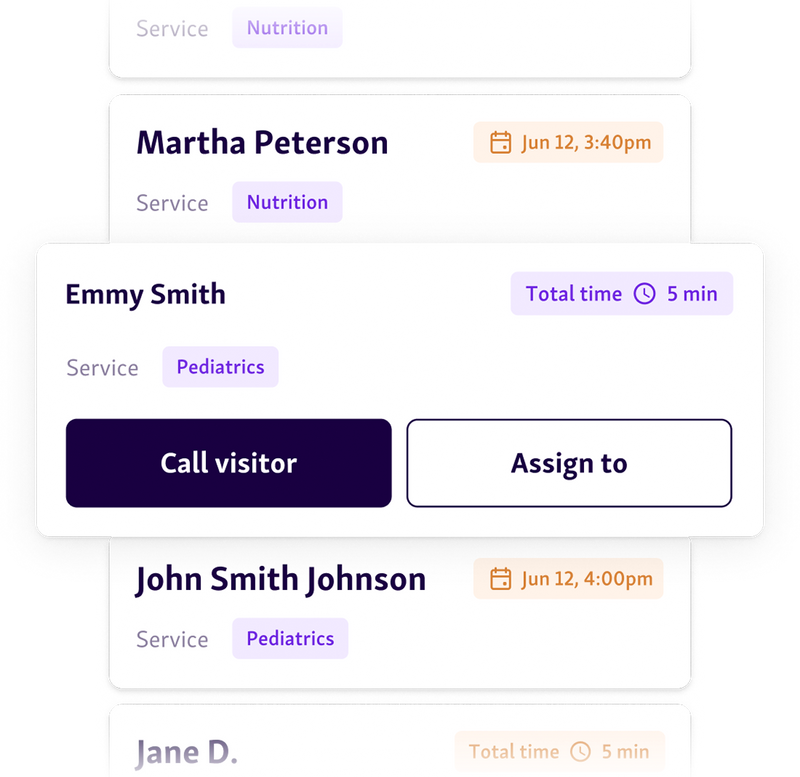
Common objectives include:
Reducing average wait times during peak demand
Cutting no-shows or walkouts that waste capacity
Increasing visitors served per hour without adding staff
Reducing overtime and staffing inefficiencies
For each objective, clearly define:
The target outcome (for example, a 15–20% reduction in wait time)
The metric you’ll use (wait time, abandonment rate, cost per visit)
The time frame for evaluation (30, 60, or 90 days after rollout)
When objectives are specific and measurable, ROI tracking becomes straightforward, and your ROI report shows clear cause-and-effect instead of assumptions.
Step 2 – Establish Pre-Implementation Benchmarks
ROI tracking only works when you have a clear “before” picture. Without pre-implementation benchmarks, any ROI report becomes guesswork because there’s nothing concrete to compare against.
Before rolling out a queue management system, capture historical data from your existing process. Pull at least a few weeks of data that reflect normal operations, including both slow and peak periods.
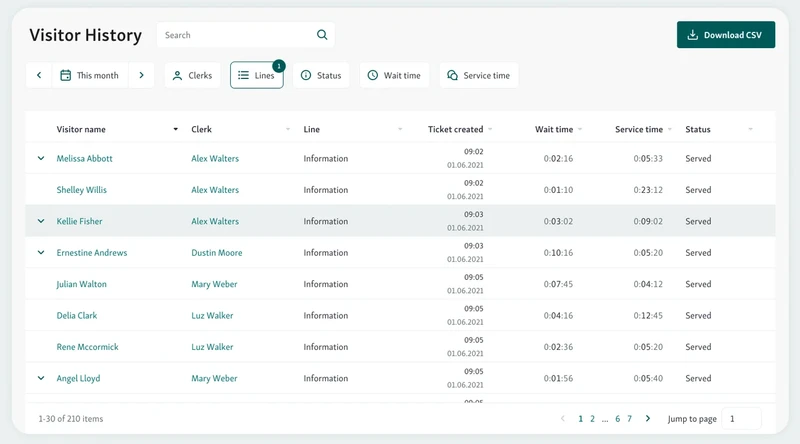
Focus on documenting:
Wait times: average, peak-hour delays, and worst-case waits
Service volume: visitors served per day, hour, and location
Operational costs: staffing hours, overtime, and cost per visit
Drop-offs: no-shows, walkouts, or abandoned queues
This baseline becomes the reference point for all future ROI reporting. Once the queue management system software is live, every improvement can be measured against these benchmarks to show real, defensible ROI instead of anecdotal gains.
Step 3 – Track Real-Time Performance After Implementation
Once the queue management system is live, ROI tracking shifts from setup to observation. This is where real-time visibility becomes critical. Instead of waiting weeks for reports, teams should monitor performance as it happens.
Use dashboards and live reports from your queue management system software to track how operations change day to day. Watch for immediate signals such as shorter wait times, smoother queue flow, or faster service during peak hours.

Pay close attention to:
Wait time trends: how quickly lines move compared to your baseline
Service speed: whether average service time per visitor is improving
Queue flow: how evenly demand is distributed across counters or staff
Real-time tracking helps teams spot early wins, catch issues before they grow, and build confidence in ROI reporting with up-to-date, defensible queue data analytics from the queue management system itself.
Related read - Top 5 Performance Metrics Every Retail Service Dashboard Should Track
Step 4 – Calculate Cost Savings
After performance stabilizes, ROI tracking moves from metrics to money. This step focuses on translating operational improvements into clear cost savings that can be reported and defended.
Start by comparing staffing patterns before and after the queue management system software was introduced. When wait times drop and demand becomes more predictable, teams rely less on reactive staffing during peak hours. Qminder’s Service Intelligence makes this easier by showing how changes in queue flow directly affect staff load and service efficiency.

Focus on three areas:
Reduced staffing strain: smoother flow means staff spend more time serving and less time managing congestion
Lower overtime costs: better demand visibility helps avoid last-minute overtime or extended shifts
Fewer repeat visits: clearer processes and faster service reduce rework caused by missed steps or confusion
These savings are often incremental, but over weeks and months they add up. Documenting them is essential for accurate ROI reporting tied directly to your queue management system.
See also - Staffing & Scheduling With a Queue Management System
Step 5 – Quantify Revenue or Productivity Gains
Once cost savings are clear, ROI reporting should also account for productivity gains created by the queue management system. These gains show how the same resources now produce more value.
Look at how many visitors are served per day before and after implementation. Shorter waits and smoother flow often allow teams to handle higher volume without adding staff. This directly improves throughput.
Next, review appointment adherence. Fewer no-shows and late arrivals mean schedules stay full, services start on time, and capacity is used as planned.
Finally, evaluate how existing resources are utilized. When queues are visible and balanced, staff time, service counters, and appointment slots are used more efficiently. These improvements strengthen ROI tracking by showing growth driven by process, not headcount.
See also - The ROI of Queue Analytics for Enterprises
Step 6 – Measure Customer Experience Impact
ROI tracking is incomplete without understanding how the queue management system affects the people being served. Customer experience improvements often translate into long-term value, even when they are not immediately financial.
Start by comparing CSAT or feedback scores from before and after implementation. Improvements here indicate that shorter waits and clearer service flow are being felt by visitors.
Next, track complaint volume and feedback trends over time. Fewer complaints, fewer escalations, and more positive comments signal that service friction has been reduced. Including these indicators in your ROI report helps show that ROI reporting reflects both operational efficiency and service quality, not just internal metrics.
Helpful read - What is the Customer Experience Pyramid?
Step 7 – Translate Results into ROI Metrics
This is where ROI tracking turns performance data into a clear business case. Start by applying a simple ROI formula that compares total gains against the cost of the queue management system software.
A common approach is:
ROI = (Total cost savings + productivity gains – system cost) ÷ system cost
Cost savings may include reduced overtime, fewer repeat visits, and lower administrative effort. Productivity gains often come from serving more visitors with the same staffing levels.
Separate short-term ROI from long-term ROI in your ROI report. Short-term results might show faster service and immediate cost reduction, while long-term ROI reflects sustained efficiency, better resource planning, and improved customer experience enabled by the queue management system.
Common Mistakes When Measuring Queue Management ROI
ROI reporting often falls short not because the queue management system underperforms, but because ROI tracking focuses on the wrong signals. Here are some of the mistakes to avoid:
Only tracking wait time
Average wait time is easy to measure, but it rarely tells the full story. Focusing on it alone ignores improvements in flow, predictability, and how evenly demand is handled during peak hours.
Ignoring staff productivity gains
Many ROI tracking efforts miss how a queue management system software reduces idle time, interruptions, and context switching for staff. Serving the same volume with less strain is a measurable gain.
Not accounting for perceived wait time
Two visitors can wait the same amount of time and have very different experiences. Without tracking perceived wait time and communication effectiveness, ROI reporting misses a major driver of satisfaction.
Forgetting operational cost offsets
ROI reports often overlook reduced overtime, fewer repeat visits, and lower administrative workload. These savings add up and directly affect the real return from queue management systems.
Turn Queue Data Into a Clear ROI Story
Tracking ROI from a queue management system only works when ROI reporting is tied to real operational change. That means measuring the right baselines, tracking performance consistently, and connecting queue data to staffing efficiency, service capacity, and customer experience.
Strong ROI tracking goes beyond wait times to show how queue management system software reduces costs, improves productivity, and creates better outcomes at scale. When done right, ROI reports become tools for smarter decisions, not just justification after the fact.
If you want ROI reporting that’s built into daily operations, Qminder makes ROI tracking clear from day one.
Explore Qminder and start turning queue data into measurable results.
Most organizations benefit from tracking data for at least 60–90 days after implementation. This window allows patterns to stabilize and avoids drawing conclusions from early adoption noise or short-term fluctuations.
ROI reporting works best when shared between operations leaders and finance teams. Operations provide context on service changes, while finance helps validate cost assumptions and savings calculations.
Yes. Well-documented ROI reports can be used to justify renewals, expansion to new locations, or additional investments by showing measurable impact backed by operational data rather than estimates.
Get to know our solutions
We will give you a short but great overview of how Qminder can improve your business and visitors experience.
Try out Qminder for yourself and see how we can improve your business and visitors experience.