Heavy footfall is a sign of demand, but without the right footfall management strategies, it quickly turns into long waits, crowded spaces, and stressed staff. Busy service locations face a constant balancing act: moving people through efficiently while still delivering a calm, reliable experience.
When heavy footfall isn’t managed well, small delays compound fast, leading to walkouts, complaints, and lost trust.
Footfall management is not just about handling queues. It’s about visibility, flow, communication, and smart use of resources during peak periods. From retail stores and clinics to government offices and service centers, organizations that plan for heavy footfall perform better under pressure.
This article breaks down practical, proven strategies to manage high visitor volumes without sacrificing service quality or overwhelming your team.
Footfall Meaning and Why It Matters for Service Operations
Footfall refers to the number of people entering a physical location during a set period. In retail, it’s store visitors. In healthcare or government offices, it’s patients or citizens arriving for service. Across service operations, footfall directly shapes demand and pressure on teams.
Understanding footfall meaning is about more than headcount. Heavy footfall increases wait times, strains staff, and exposes weak points in service flow. When many people arrive at once without clear routing or communication, service quality drops fast.
Practical Tips on How to Manage Heavy Footfall Effectively
Managing heavy footfall isn’t about moving people faster at all costs. It’s about creating flow, visibility, and control so demand doesn’t overwhelm staff or the space.
1. Use a Digital Queue Management System
Long physical lines often lead to congestion, confusion, and frustrated visitors, especially during busy periods. A digital queue management system replaces those lines with a more organized, transparent system that manages demand without crowding waiting areas.
By moving queues off the floor and into a virtual format, organizations can create a calmer environment while maintaining visibility into wait times and service progress.
What to do in practice:
Replace physical lines with virtual queues:
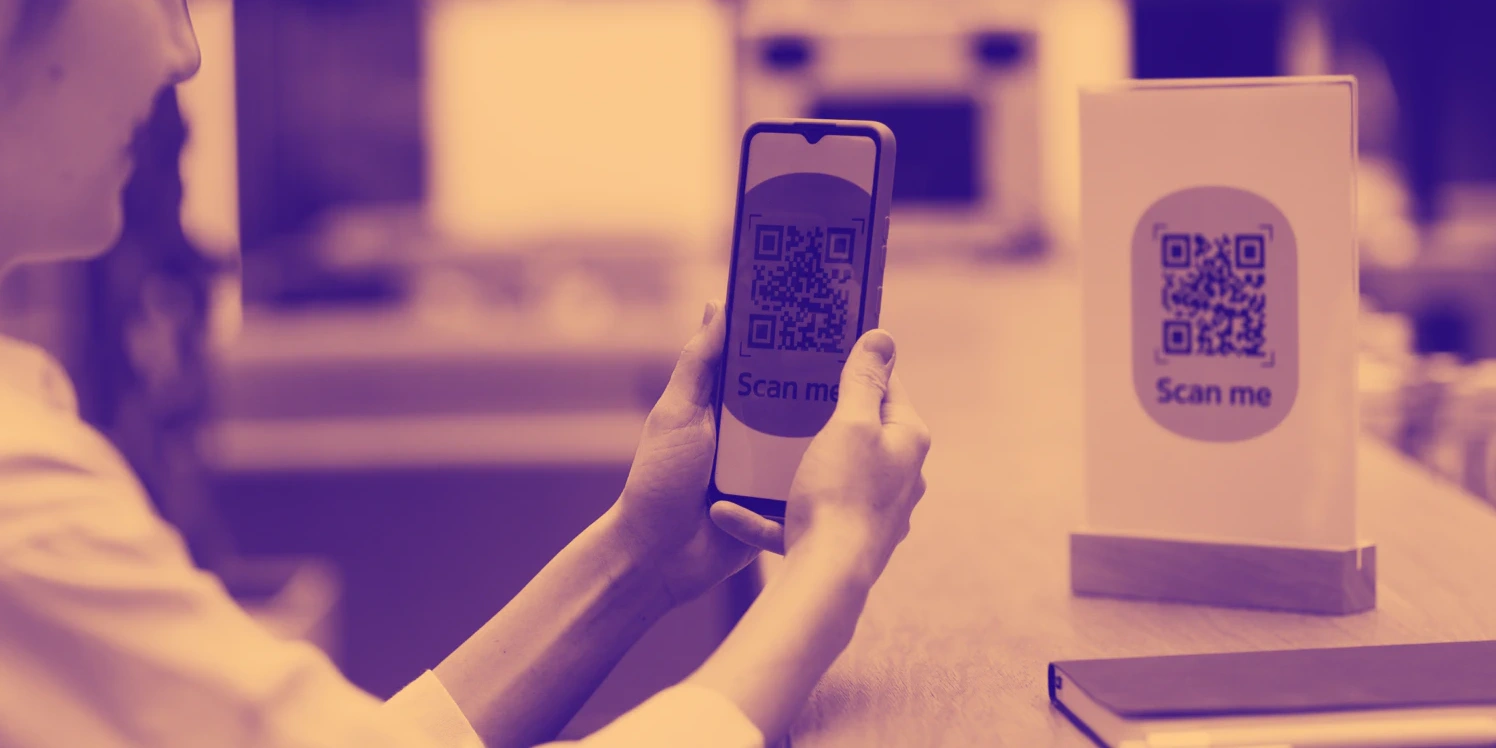
Disable standing lines and require visitors to join the queue through a QR code, check-in kiosk, or mobile link.
Let visitors join remotely or on arrival:
Share the check-in link on your website, signage, and confirmation messages so visitors can enter before reaching the desk.
Reduce crowding in waiting areas:
Call visitors only when staff are ready instead of allowing early arrivals to wait onsite.
Improve flow and transparency:
Use the live queue view and footfall counter data to slow intake, open counters, or reroute visitors before congestion forms.
This keeps heavy footfall structured and prevents queues from forming faster than your team can serve them.
Also read - What is Queue Management System? A Definitive Guide
2. Enable Remote Check-In and Mobile Sign-In
Heavy footfall becomes harder to manage when everyone arrives at once and checks in at the same physical point. Moving the check-in step earlier and off the front desk reduces pressure at entrances and improves visibility into demand.
With tools like Qminder, mobile and remote sign-in let visitors join the queue before arrival or immediately on entry, making footfall easier to control throughout the day.
What to do in practice:
Enable pre-arrival check-in:
Add mobile check-in links to appointment confirmations, reminder messages, and your website so visitors join the queue before they arrive.
Replace front-desk check-in for walk-ins:
Set mobile sign-in as the default option for walk-ins instead of manual registration or verbal name collection.
Deploy QR codes at entry points:
Place QR codes at doors, reception desks, and signage so visitors check in from their phones as soon as they enter.
Show wait times during check-in:
Display real-time wait estimates in the mobile flow so visitors naturally stagger arrival times during peak periods.
Control intake using a footfall counter:
Compare mobile check-ins against a footfall counter to pause new entries when capacity is reached and prevent overcrowding.
Paired with a footfall counter, mobile check-in also gives staff a clearer picture of how many people are expected versus already onsite, making real-time footfall management far more predictable.
3. Display Real-Time Wait Times and Queue Status
When visitors don’t know how long they’ll be waiting, uncertainty quickly turns into frustration and repeated questions at the front desk. Showing live queue status removes guesswork and sets clear expectations from the moment someone checks in.
Transparent wait information helps visitors feel more in control, even when waits are unavoidable, and reduces pressure on staff.
What to do in practice:
Install a waiting room TV display:
Place screens where visitors can see them easily from seating and standing areas.
Show live queue position and estimated wait times:
Display who is being served, who is next, and how long the wait will be.
Keep queue data updating automatically:
Use systems that refresh queue status in real time to avoid outdated information during heavy footfall.
Use clear, readable layouts:
Design screens with large text, simple labels, and high contrast so visitors can read them quickly.
Redirect status questions to the screen:
Train staff to point visitors to the display instead of answering repeated wait-time questions.
4. Analyze Footfall Data and Peak Hours
Footfall patterns usually follow a rhythm, shaped by visitor habits, service times, and operating hours. Busy days and peak hours tend to repeat, but without clear data, they’re easy to misjudge.
Qminder’s Service Intelligence helps you see past visitor trends so you know when demand rises, how long it lasts, and where pressure builds. This makes forecasting more accurate and planning day-to-day operations easier.
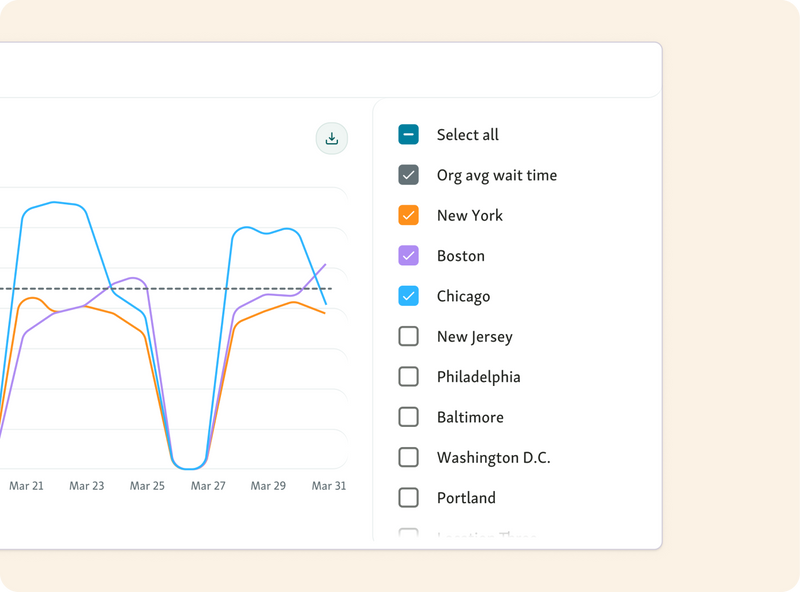
What to do in practice:
Review daily and weekly footfall reports:
Use analytics and a footfall counter to spot consistent busy days and time windows.
Map peak hours by service type:
Identify which services drive heavy footfall and when they create the most congestion.
Adjust staffing and opening times:
Schedule more staff or extend service capacity during predictable peaks.
Plan ahead for known surges:
Use historical data to prepare for seasonal demand, events, or policy changes.
Track changes after adjustments:
Revisit the data to confirm whether footfall management improvements actually reduced pressure.
When footfall management is backed by analytics, busy locations stay controlled even during peak demand.
Helpful read - How to Use Footfall Analytics to Improve Customer Service
5. Optimize Staffing Based on Footfall Patterns
Staffing problems often come from mismatches between when visitors arrive and how teams are scheduled. Peak periods strain service, while slow hours leave resources underused.
Using footfall patterns to guide staffing decisions helps align capacity with real demand, ensuring the right people are available at the right times to keep service moving smoothly.
What to do in practice:
Assign more staff during peak periods:
Schedule additional team members during known high-traffic hours to prevent queues from building.
Reduce overstaffing during slow hours:
Scale back coverage during predictable low-demand periods to avoid unnecessary labor costs.
Match staff skills with demand:
Align staff schedules so specialized services are covered when demand for them is highest.
Improve service speed:
Use staffing adjustments to shorten wait times and maintain consistent service levels throughout the day.
When staffing follows footfall patterns, teams stay productive and visitors move through faster, even on the busiest days.
6. Segment Visitors by Service Type
Not all visitors need the same level of service, and treating them as if they do often leads to unnecessary delays. Simple requests can end up waiting behind longer, more complex interactions, creating frustration on both sides of the counter.
Segmenting visitors by service type allows each queue to move at its own natural pace, reduces pressure on staff, and prevents one slow interaction from disrupting the entire flow.
What to do in practice:
Create separate queues for different services:
Set up distinct queues based on service type so quick requests and longer appointments are handled independently.
Prioritize urgent or complex cases:
Route high-priority or time-sensitive visitors into dedicated queues to ensure they’re handled without delay.
Prevent bottlenecks at counters:
Direct visitors to the correct service queue at check-in to avoid back-and-forth and rework at the counter.
Improve overall queue flow:
Use service-based segmentation to balance workloads across staff and maintain steady movement across all queues.
Segmenting by service type turns high volume into manageable streams instead of one crowded queue.
7. Improve Layout, Signage, and Waiting Areas
When heavy footfall isn’t guided properly, people cluster in the wrong places, block walkways, and create confusion before service even starts. Good footfall management starts with a layout that clearly shows where to go and what to do next.
Clear physical design reduces friction, shortens perceived wait times, and keeps traffic flowing smoothly through the space.
What to do in practice:
Design clear pathways for visitors:
Map out direct routes from entrances to check-in points, waiting areas, and service counters to avoid cross-traffic and confusion.
Use visible signage for guidance:
Install clear, easy-to-read signs that show where to go, what to do next, and where to wait at each stage of the visit.
Reduce unnecessary movement:
Position check-in, seating, and service points logically so visitors don’t need to walk back and forth to complete their visit.
Create comfortable waiting spaces:
Provide adequate seating, spacing, and amenities so visitors can wait comfortably without overcrowding high-traffic areas.
Small layout improvements make a big difference when footfall is consistently high.
8. Introduce Appointment and Walk-In Balancing
Heavy footfall becomes harder to manage when walk-ins and appointments collide at the same time. Smart footfall management balances both by spreading demand across the day instead of letting it peak all at once.
Combining scheduled visits with virtual queues keeps service predictable while still allowing flexibility for walk-ins.
What to do in practice:
Combine appointments with virtual queues:
Feed both scheduled appointments and walk-ins into a single system that controls intake and service order.
Prevent overcrowding from walk-ins:
Set limits on how many walk-ins can join the queue at once based on current capacity.
Distribute demand evenly:
Use spacing rules or buffers to spread arrivals across available time slots instead of allowing spikes.
Maintain flexibility during rush periods:
Adjust queue rules in real time to prioritize appointments or temporarily slow walk-in intake when demand surges.
This approach keeps service flowing even when heavy footfall spikes unexpectedly.
You might also like - Are Walk-Ins More Efficient Than Appointments?
Common Mistakes When Managing Heavy Footfall
Even with the best intentions, heavy footfall can quickly overwhelm service locations when a few common mistakes creep in. These issues usually increase congestion, stress staff, and frustrate visitors instead of improving flow.
Relying Only on Physical Queues
Physical lines grow fast during heavy footfall and block entrances, desks, and walkways. Without virtual queues, staff lose visibility and visitors feel stuck with no clear sense of progress.
Ignoring Historical Visitor Data
Footfall management suffers when decisions are made without looking at past trends. Skipping historical data means peak hours, repeat surges, and seasonal patterns go unnoticed.
Underestimating Peak Demand
Many teams plan for average days instead of worst-case scenarios. Heavy footfall during lunch hours, Mondays, or seasonal rushes can quickly overwhelm unprepared locations.
Poor Communication With Visitors
When wait times and next steps are unclear, visitors keep asking staff for updates. This increases frustration and slows service even more during busy periods.
Manual Registration Processes
Paper sign-ins and verbal name collection create bottlenecks at entry points. During heavy footfall, manual registration slows check-ins and increases errors right when speed matters most.
Turn Heavy Footfall Into a Smooth, Predictable Flow
Heavy footfall doesn’t have to mean chaos, long waits, or burned-out staff. With the right footfall management approach, busy locations can stay calm, organized, and efficient even during peak demand.
Digital queues, real-time wait displays, remote check-in, and data-driven staffing decisions all work together to protect service quality while keeping visitors informed and moving. The goal isn’t just handling volume, but creating a predictable experience people trust and staff can sustain day after day.
If you’re managing heavy footfall across busy locations, Qminder gives you the tools to see demand clearly and respond in real time.
See how Qminder can help you manage heavy footfall better.
The most reliable way is to track outcomes over time, such as reduced complaints, steadier service times, and fewer walkouts. These indicators show whether changes are improving real experiences, not just moving lines faster.
Yes. Many improvements start with process changes, clearer communication, and better scheduling. Technology helps scale these efforts, but basic planning and flow design can deliver value on their own.
Footfall patterns should be reviewed regularly, especially after seasonal changes, policy updates, or service launches. Ongoing review helps teams stay ahead of demand instead of reacting to problems after they appear.
Get to know our solutions
We will give you a short but great overview of how Qminder can improve your business and visitors experience.
Try out Qminder for yourself and see how we can improve your business and visitors experience.