Managing walk-ins with a physical token dispenser or token dispenser machine used to feel simple, but it’s no longer enough for today’s service expectations. Paper slips get lost, staff have to monitor flow manually, and customers end up waiting longer than they should.
A digital queue management system solves these gaps by turning the traditional queue token into a smarter, trackable step in the visit.
With a digital queue system, every update from your queue token machine is synced in real time, giving teams better control and giving visitors a smoother experience. As more public services modernize, digital queue management is becoming essential.
In this blog, we’ll look at how digitizing token dispensers improves speed, safety, and overall service flow.
What is a Token Dispenser and How It Works
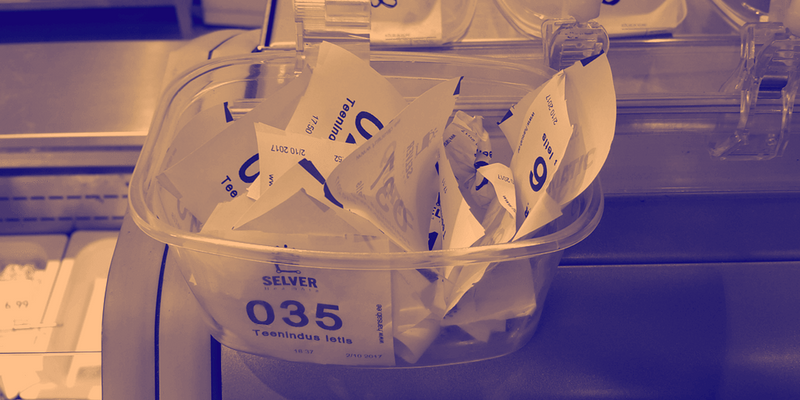
A token dispenser or token dispenser machine is the old-school setup most people have seen in banks or hospital waiting areas. You walk in, hit the button on the queue token machine, it gives out a queue token, and you sit or stand around until your number shows up on the screen.
It works, but it also comes with paper slips, manual checking, and not much visibility into what’s actually happening. That’s why more offices are moving toward a digital queue management system or a full digital queue system that handles the same process without all the manual effort.
What Are the Limitations of a Token Dispenser Machine?
A manual token dispenser machine helps organize crowds, but it comes with several gaps that slow down service and create friction for visitors. These issues become more visible as demand grows and expectations shift toward digital queue management.
Frequent hardware failures
Physical buttons, printers, and screens wear out, leaving the token dispenser unusable until someone fixes it.
Queues forming at the machine
Visitors often end up waiting again just to get a queue token, creating congestion right at the entry point.
No meaningful data
A manual setup can’t track traffic trends or service times the way a digital queue management system can.
No remote or mobile check-in
Everything depends on a printed queue token, so visitors must be on-site to enter the line.
Accessibility challenges
People with mobility or vision limitations can struggle to use a physical queue token machine.
Poor peak-time control
Staff have no real-time visibility or tools to manage demand compared to a flexible digital queue system.
Benefits of a Digital Queue System Over Traditional Token Machines
Digital queue systems replace manual machines with virtual tokens, real-time updates, and smoother lobby movement. This section will look at the key advantages digital tools bring over traditional hardware.
1. Reduced Congestion and Faster Service
A digital queue system removes the need for visitors to gather around a single queue token machine. Instead of lining up just to get a queue token, people can check in through their phone, a kiosk, or with staff assistance. This spreads out arrivals, keeps the lobby open, and helps teams move visitors forward without the usual entry-point traffic.
Visitors can join the line from multiple channels, not just one token dispenser.
Lobby flow improves because people aren’t clustering around the machine.
Staff get clearer visibility through a digital queue management system, helping them direct the flow better.
Visitors receive updates on their phones, so they can wait comfortably without crowding around a display.

Example:
A local clinic switches from a manual token dispenser machine to digital queue management, allowing patients to check in from their phones before entering the building. The lobby stays calmer, and staff can focus on service instead of managing lines.
2. Remote or Mobile Queue Token Issuance
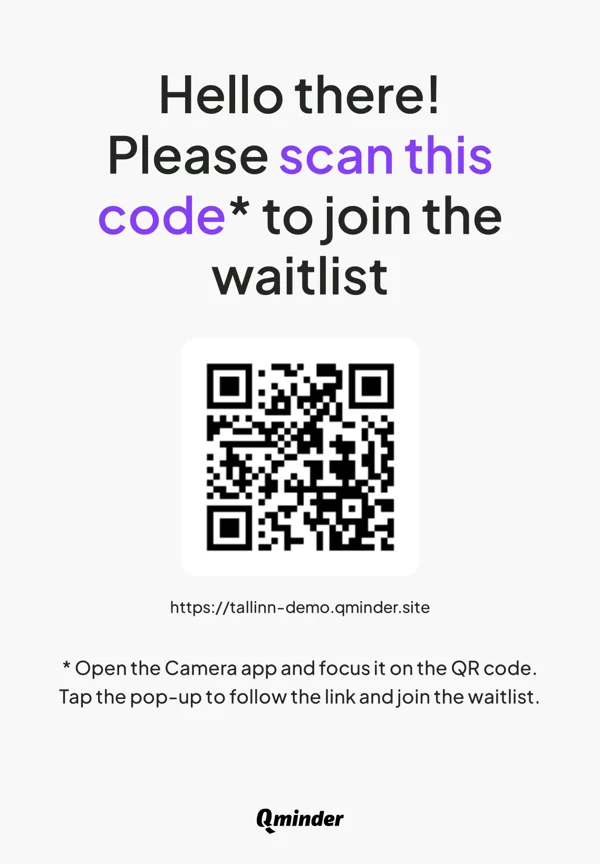
A digital queue management system like Qminder lets people get a queue token without going near a physical token dispenser. They can check in from their phone, scan a QR code at the entrance, or use a kiosk if they want. It removes the small crowd that usually forms around a queue token machine and speeds up the first step of the visit.
Visitors can:
Join the line through a quick mobile link.
Get a digital queue token by SMS.
Scan a QR code at the door instead of using a token dispenser machine.
Use a kiosk if they prefer a physical check-in.
Example:
A local service center puts a QR code at the entrance. People scan it, get their queue token on their phone, and walk in, no waiting around for the old token dispenser.
3. Real-Time Notifications and Better Transparency
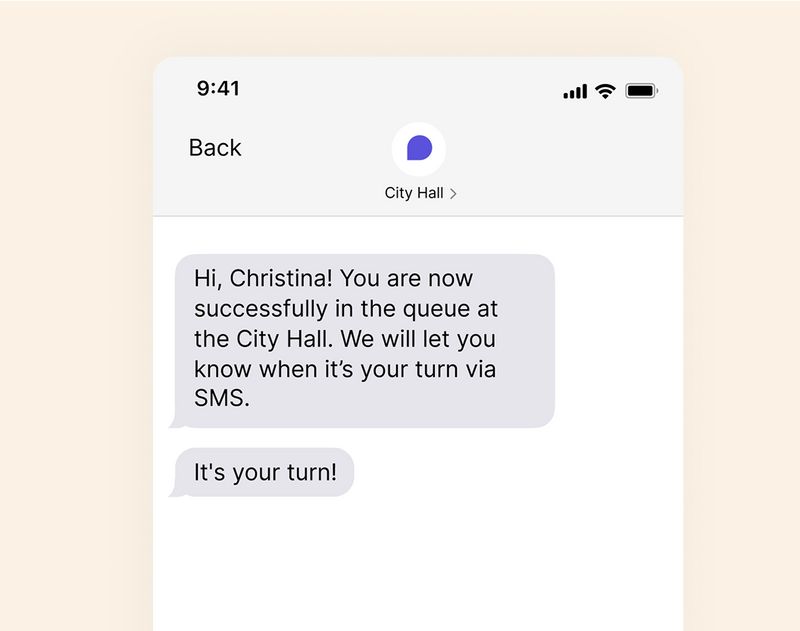
A digital queue management system keeps visitors updated without making them hover near a queue token machine or a display board. Their digital queue token shows changes as they happen, shorter waits, longer waits, delays, whatever is going on. Getting this information on their phone makes the whole process feel calmer and easier to follow.
Visitors can:
Get real-time updates about wait times.
Get a heads-up when their turn is close.
Stay aware of delays without checking the token dispenser machine.
Check their queue token status from their phone whenever they want.
Example:
In a busy outpatient area, people get automatic alerts as their turn comes up, so they don’t crowd around the screen or wait by the counter.
4. Data-Driven Insights for Operations
A digital queue management system gives teams access to analytics data that a manual token dispenser machine can’t provide. Every digital queue token becomes a source of insight, helping staff understand peak hours, service duration, and visitor patterns. With this visibility, managers can make smarter decisions about staffing, resource allocation, and overall service flow. A digital queue system turns everyday activity into actionable information.

Track peak times and adjust staffing accordingly.
Measure service speed, delays, and workflow inefficiencies.
Identify bottlenecks that a physical token dispenser could never reveal.
Use real-time dashboards to monitor ongoing queue movement.
Example:
A diagnostic center reviews its digital queue data to see when visitor traffic spikes, helping the team schedule more staff during high-demand hours.
You might also like - Ticket-Based vs Virtual Queue Systems for City Halls and Government Offices
How Digital Queue Management Works
A digital queue management system replaces the old token dispenser machine with a setup that’s easier to follow for both visitors and staff. Here’s how it works:
Step 1: Virtual Check-In Options
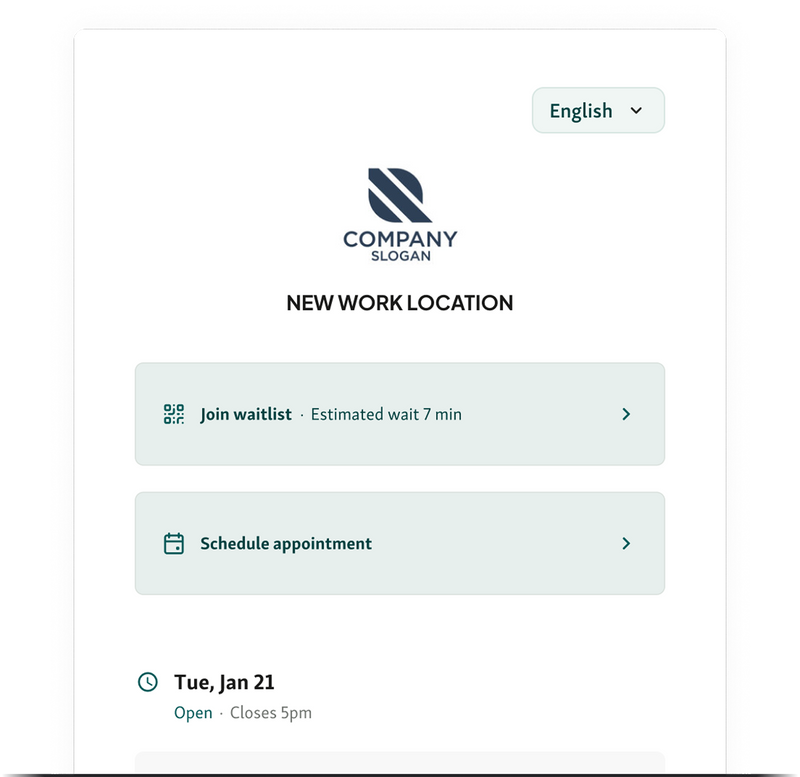
Visitors don’t need to stand in front of a physical token dispenser to join the line. They can check in using whatever is easiest for them, and the digital queue system creates their place in the queue right away. This spreads arrivals out and keeps the entrance area from filling up.
People can:
Use a simple web or mobile check-in form.
Scan a QR code at the door instead of using the queue token machine.
Use a kiosk on-site if they like a more familiar flow.
Check in by SMS and receive a digital queue token on their phone.
Step 2: Smart Routing and Automated Service Allocation
Once someone has their digital queue token, the digital queue management system handles the next steps. It sends each visitor to the right queue based on what they came for and how busy each counter is. Staff don’t have to manually sort people or guess who should go where.
The system can:
Move urgent or time-sensitive cases into a priority path.
Distribute visitors across available counters so no line is overloaded.
Balance workloads so one staff member isn’t handling everything.
Change routing in real time when demand or staffing shifts.
Step 3: Tracking and Calling Visitors
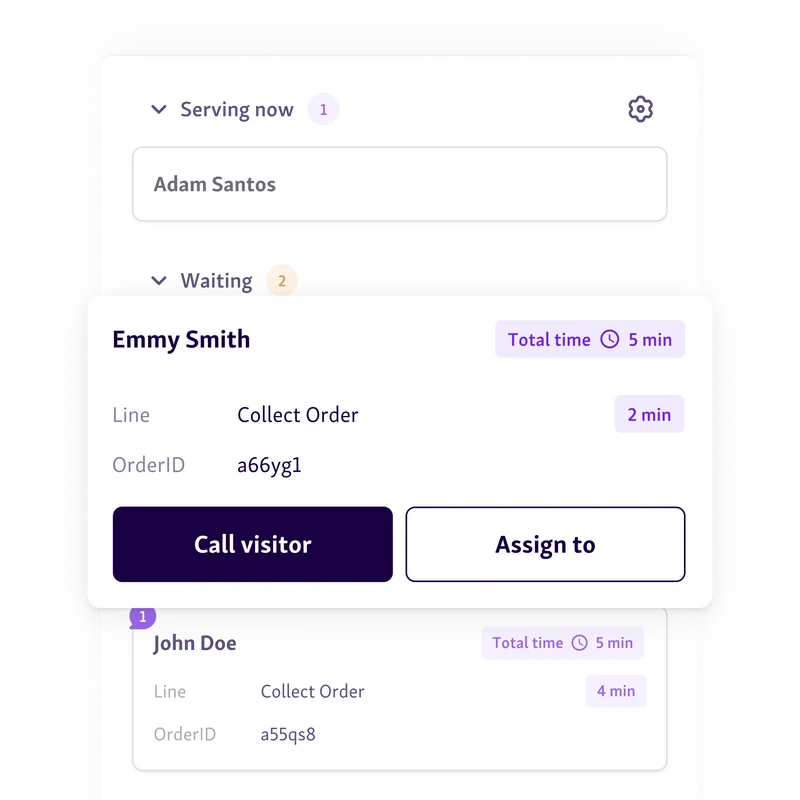
From there, every digital queue token is tracked automatically. The system knows who is next and how long they’ve been waiting, and it calls people forward without needing a physical token dispenser or constant announcements.
It can:
Send SMS or mobile notifications when a turn is getting close.
Show upcoming turns on display boards or TV screens.
Let counters call the next digital queue token with one action.
Keep visitors informed so they don’t crowd around the queue token machine or the reception desk.
Replacing a Token Dispenser Machine With a Digital Solution
Switching from a physical token dispenser to software-based queue management helps eliminate breakdowns, delays, and bottlenecks. This section will look at when it’s the right time to upgrade and why the transition matters.
When to Transition From Hardware to Software
There comes a point when a physical token dispenser machine stops keeping up. It works fine for light traffic, but once the crowd grows, that setup slows everything down. A manual token dispenser can’t adjust to peaks, can’t give you insight into wait patterns, and can’t support the flexibility people expect now. A digital queue management system or full digital queue system gives you more visibility, more control, and a smoother start for every visitor who walks in.
Common signs it’s time to switch:
High foot traffic
Crowds begin gathering around the queue token machine, and the visit feels slow before it even starts.
Long or repetitive lines
People line up to get a queue token, then line up again for actual service.
Aging or unreliable hardware
Buttons jam, printers stall, or the token dispenser needs constant fixes.
No reporting or analytics
You get paper slips, but no digital queue token data to understand wait times or adjust staffing.
Growing visitor frustration
People expect mobile check-in and live updates, not a small paper number they have to keep checking.
How to Digitize Your Queue Token Workflow
Switching from a physical token dispenser machine to a digital setup is much easier when the steps are clear for both staff and visitors. You don’t need to overhaul everything at once, just move through the process in simple stages.
Step 1: Audit Your Current Workflow
Take a real look at how your token dispenser is doing right now. Are people lining up just to get a queue token? Does the machine jam? Are staff sorting people manually because the system can’t? Noting these things helps you see what your digital queue system needs to fix.
Step 2: Choose the Right Digital Queue Management System
Pick a digital queue management system that actually fits how your space works. Tools like Qminder offer easy virtual check-in, appointment scheduling, real-time updates, and advance reporting. The idea is to replace the queue token machine with something that gives you better visibility without making the flow complicated.
Step 3: Train Your Staff
Before launching digital queue tokens, walk your team through how everything works, how visitors check in, how queues move, what the dashboard shows. When staff understand the new flow, the switch feels smoother for everyone.
Step 4: Roll Out Virtual Tokens
Start offering digital queue token options like QR check-ins, SMS, mobile links, or a kiosk. These options slowly take pressure off the old token dispenser machine and make the entry process faster and easier.
Helpful read - 7 Insanely Powerful Strategies to Manage Customer Wait Times
Best Use Cases for Digital Queue Systems
Digital queue management fits best in high-traffic environments where efficiency and clarity are critical. This section will look at the industries that gain the most from adopting digital queue systems.
-
Government Offices
Places like the DMV get swamped fast. A token dispenser machine just can’t keep things moving when everyone crowds around it. With a digital queue management system, people can scan a code or check in on their phone and skip standing there. It spreads folks out and keeps the front area from getting packed.
-
Hospitals and Clinics
Medical spaces need steady flow or everything falls apart. A digital queue system lets patients check in from outside, get a digital queue token, and wait somewhere safer. No need to hover near a queue token machine or sit in a packed lobby. It works well for labs, OPDs, and any place where wait times jump around.
-
Banks and Financial Institutions
Banks handle different services at once, so lines get messy fast. A digital queue management system sorts people by what they came for. If someone gets a digital queue token, the system pushes them to the right counter automatically. It cuts down the crowd around the token dispenser and helps staff see who needs what.
Read more - 9 Proven Benefits of Online Queue Management Systems
Modernize Your Queue Flow With Digital Tokens
Moving away from a physical token dispenser machine takes a lot of pressure off your front area. Instead of handing out paper slips and hoping people stay in order, visitors can check in digitally and follow their spot from their phone. It cuts down crowding, smooths out busy hours, and makes the whole process easier for both staff and visitors.
If you want a complete digital queue system, Qminder covers the whole flow. You can send out virtual tokens, manage the line, and keep things organized from the first day you turn it on.
Give Qminder a try and see how the change feels in real use.
Yes. Most modern digital queue tools connect with CRMs, patient systems, or internal dashboards so your team can view visitor details, ticket status, and service history in one place.
Digital queue platforms use encrypted communication and controlled user access to keep visitor details safe. Only authorized staff can view or manage queue activity.
No. Visitors can usually check in using a browser link, QR code, or SMS, no downloads required. This keeps the process simple and accessible for everyone.
Get to know our solutions
We will give you a short but great overview of how Qminder can improve your business and visitors experience.
Try out Qminder for yourself and see how we can improve your business and visitors experience.