
Long DMV wait times frustrate citizens while crushing office efficiency and burning out staff. Agencies are attacking this problem by deploying self service kiosks at critical customer touchpoints.
Modern self-service kiosks handle renewals, payments, check-ins, and form submissions independently, no staff assistance needed. DMV self service kiosks distribute foot traffic intelligently, emptying counter lines while people complete tasks solo.
As more departments install self service kiosks, they're witnessing shorter lines, smoother operations, and happier visitors across the board.
In this blog we’ll look at 8 powerful self-service kiosk platforms that actually slash wait times and transform the DMV experience.
TL;DR - Quick Comparison Table
These are the leading self-service kiosk systems helping DMVs, clinics, and public offices cut wait times and improve visitor flow.
Tool | Ideal For | Key Strength | Pricing |
DMVs and service centers that want tablet-based kiosks without extra hardware | Turns any iPad into a fully customizable self service kiosk with logic-based flows, messaging, and multilingual support | Free 14-day trial; $389–$1049/mo | |
Qwaiting | Busy DMVs, hospitals, banks, and public offices needing physical kiosks in different layouts | Versatile kiosk hardware (tabletop, floor, wall) with fast printing and 24/7 staff-free check-inse | Pricing available on request |
Qmatic | High-traffic DMVs and government offices needing enterprise-grade kiosks and accessibility | Certified heavy-duty kiosks with segmentation, assistive hardware, and deep queue integration | Pricing available on request |
Meridian Kiosks | Governments and enterprises wanting highly customized kiosk hardware + software | Fully in-house design and manufacturing with mzero software for monitoring, security, and integrations | Pricing available on request |
Leyline | Multi-service public offices and clinics that value design, clarity, and simple operations | Beautiful EU-built kiosks (like MOON I) with one-ticket journey tracking and flexible, wireless hardware options | Starts at €80/mo |
Nemo-Q | DMVs, hospitals, universities, and agencies needing identity-based routing and VIP queues | Multiple kiosk models with card readers, audio assist, and priority routing for complex environments | Starts at $290/mo |
Qmagic | Hospitals and public facilities needing kiosks that also handle payments and ID checks | Durable kiosks with payment support, RFID, webcams, and strong visual queue displays | Pricing available on request |
Qtip | Small clinics, labs, and low-volume DMVs wanting simple, low-cost kiosk + mobile queues | Lightweight kiosks + mobile/web access with virtual/paper tickets and offline mode | Starts at €79/mo |
Top 8 Self-Service Kiosk Platforms That Help Cut Wait Times
Self-service kiosks are becoming one of the most effective tools for reducing DMV wait times and easing pressure on front desks. This section looks at the top platforms that make arrivals faster, smoother, and more organized.
1. Qminder
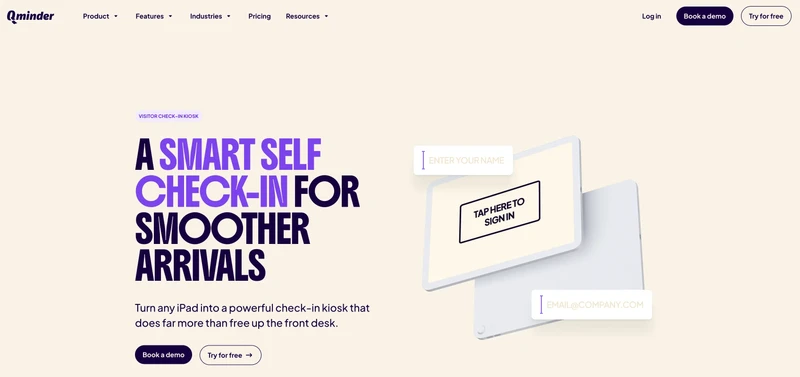
Qminder offers a modern self service kiosk experience that turns a simple iPad into a powerful check-in tool, perfect for DMVs trying to shrink lobby lines. Instead of handing out paper slips or relying on number-based queues, visitors use the touchscreen self-service kiosk to sign in, choose their service, and enter needed details.
A DMV self service kiosk powered by Qminder can guide visitors who didn’t pre-book, verify their purpose, collect information upfront, and trigger automated messages once they’re checked in.
Key Features:
Turn any iPad into a customizable self-service kiosk
Tailored sign-in flows with custom questions, forms, and required information
Logic-based workflows to guide visitors based on their answers
Automated messaging after check-in for clearer instructions
Branding, multilingual check-in, and personalized visitor greetings
Real-time visitor history and queue visibility for staff
Unlimited kiosks per location for heavy traffic
SOC 2 Type II, HIPAA, GDPR compliance
Pros:
Extremely easy for visitors to use
Fully customizable check-in flows and branding
Helps eliminate number-based queues and paper tickets
Fast setup, ready to run in minutes with an iPad
Cons:
Feature-rich platform may feel too advanced for very small offices
G2 Rating: 4.6
Pricing:
Free 14-day trial included
Starter: $389/month
Business: $789/month
Premium (recommended): $1049/month
2. Qwaiting

Qwaiting ships versatile self service kiosk hardware for independent check-ins at packed DMVs, hospitals, banks, and public offices. Their self-service kiosks, available in tabletop, floor-standing, or wall-mounted, cut DMV wait times through staff-free check-ins, registrations, and service access.
Responsive touchscreens, speedy printers, and custom menus let citizens handle everything solo. People scan QR codes or tap screens joining queues.
Key Features:
Self-service kiosks: tabletop, floor, wall configurations
Fast thermal printers with auto-cut
Branded menus, languages, custom interfaces
Appointment searches and queue entry directly
Runs 24/7 for nonstop service
Payment, feedback, promotions (industry-specific)
Pros:
Kiosk options match any layout
Adapts across departments easily
Cons:
Hardware rollout requires planning
Customization depends on industry/model
G2 Rating: 4.7
Pricing: Pricing available on request.
3. Qmatic

Qmatic brings heavy-duty self service kiosk solutions to high-traffic DMVs, government offices, healthcare facilities, and public agencies buried in long lines and lobby chaos.
Their certified self-service kiosks let people check in, register, or queue up instantly—smooth arrivals, minimal staff needed. Visitor segmentation plus automated early steps help Qmatic cut DMV wait times and ease front-desk strain.
Key Features:
Certified self-service kiosks built for nonstop use
Registration and check-in for appointments/walk-ins
Customer segmentation for accurate queue routing
QR/barcode scanning speeds appointment verification
Assist button helps confused visitors
Hardware from Elo and Prestop partners
Pros:
Excels at improving flow and cutting DMV wait times
Multiple accessibility hardware accessories
Automates early interactions, reducing staff load
Cons:
Setup feels technical and complex
Overkill for small, quiet offices
G2 Rating: 3.8
Pricing: Pricing available on request.
4. Meridian Kiosks
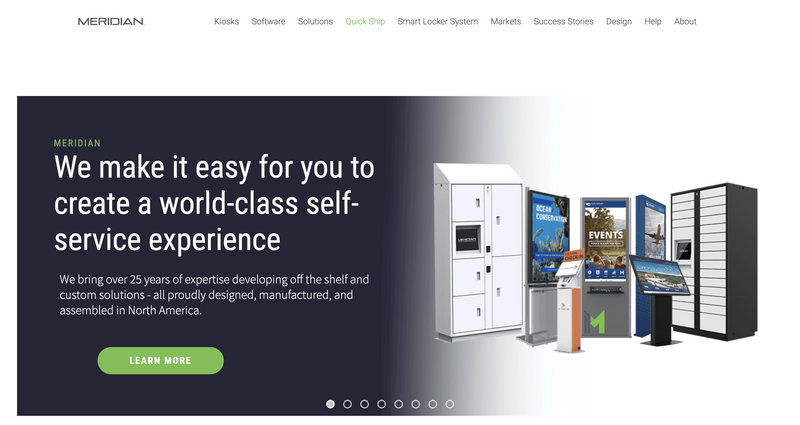
Meridian is a long-standing self service kiosk manufacturer that builds both off-the-shelf and fully custom solutions for sectors like government, healthcare, and retail. For agencies battling long DMV wait times, Meridian’s interactive self-service kiosks can handle everything from ticketing and payments to information lookup and check-in.
Because they design, engineer, and manufacture in-house at their 13-acre North Carolina campus, they’re able to match kiosk hardware and software to very specific workflows, including a tailored DMV self service kiosk setup.
Key Features:
Custom and off-the-shelf self service kiosks for government, healthcare, retail, and more
Full in-house design, fabrication, assembly, and software development
Support for payments, ticketing, scanning, wayfinding, and information access
mzero software for device monitoring, security, analytics, and remote content updates
Multiple enclosure options and form factors for indoor and outdoor use
Integration with printers, scanners, payment terminals, smart lockers, and digital signage
Pros:
Very high customization potential for complex, multi-location deployments
Strong hardware quality and manufacturing control
Deep industry experience and robust software layer (mzero)
Cons:
Higher upfront cost than simple, off-the-shelf kiosk options
Advanced feature set can require more planning and implementation support
G2 Rating: N/A
Pricing: Pricing available on request.
5. Leyline
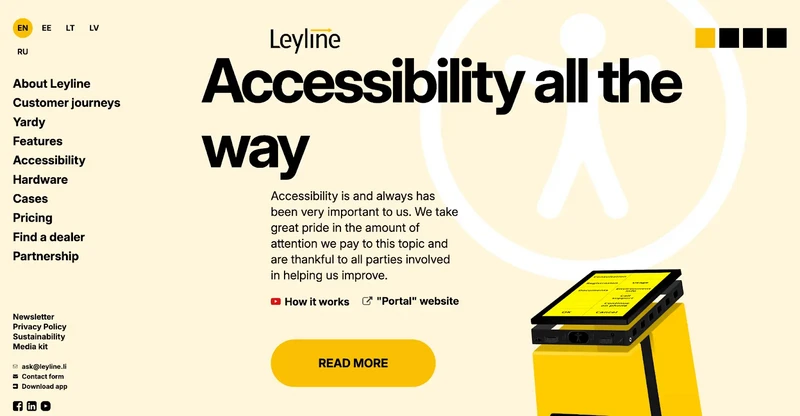
Leyline offers a beautifully designed self service kiosk ecosystem built around simplicity, speed, and a clean visitor experience. Used across hospitals, clinics, and public-service environments, Leyline focuses on clarity: visitors check in through mobile, appointments, or a branded kiosk the moment they walk in.
Their self-service kiosks, especially the MOON I unit, are crafted like modern furniture, with wood, plastic, or steel builds and optional fully wireless setups. For DMVs or public offices looking to reduce DMV wait times without overcomplicating operations, Leyline delivers a streamlined, EU-built alternative.
Key Features:
Elegant self-service kiosks like MOON I with wood, plastic, or steel casing
Wireless, PoE, and tabletop/wall-mounted kiosk options
Mobile and kiosk check-in with real-time journey tracking
One-ticket flow management across multiple services or departments
Optional hardware add-ons: QR scanner, card reader, accessibility device (Portal)
EU-hosted, secure cloud infrastructure
Pros:
Minimalist and intuitive user experience for visitors
Supports both physical and virtual queues in the same platform
Flexible hardware options including battery-powered kiosks
Great fit for multi-service environments needing clean, organized flow
Cons:
Frequent updates may require occasional staff adjustments
Advanced signage features can take time to customize
G2 Rating: 4.8
Pricing: Starts at €80/month.
6. Nemo-Q
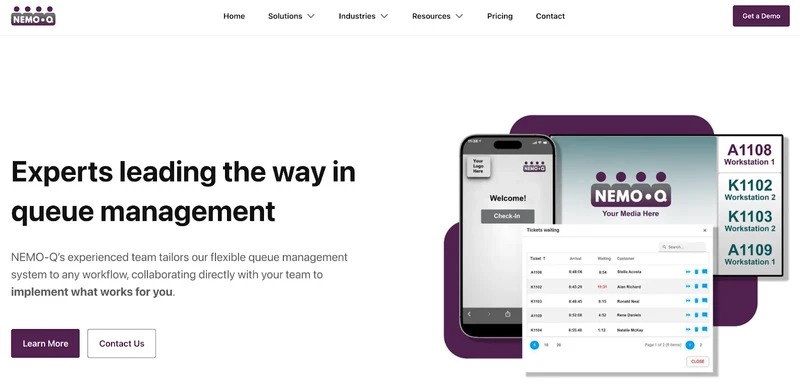
Nemo-Q provides a flexible self service kiosk system designed for public offices, hospitals, universities, and government centers that need organized, predictable traffic flow. Their self-service kiosks function as full queue terminals—letting visitors check in, take a ticket, scan QR codes, verify appointments, or identify themselves using card readers.
This makes Nemo-Q especially useful in environments where both scheduled visits and walk-ins happen simultaneously and must be handled without increasing DMV wait times or lobby congestion.
Key Features:
Multiple self-service kiosk models (11", 15", 17", and 32" touchscreens)
Windows-based interface with customizable menus and workflows
Built-in thermal printers for ticketing
Optional card readers for identity recognition and VIP queueing
Assist button with audio guidance for visually impaired visitors
QR code and barcode scanning capability
Pros:
Highly flexible kiosk options for different environments and queue complexity
Great for DMVs or hospitals needing identity-based routing and priority queues
Strong accessibility features (audio guidance, tactile button)
Cons:
Staff training required for managing advanced identity and signage workflows
More configuration needed compared to simpler kiosk platforms
G2 Rating: N/A
Pricing: Starts at $290/month.
7. Qmagic
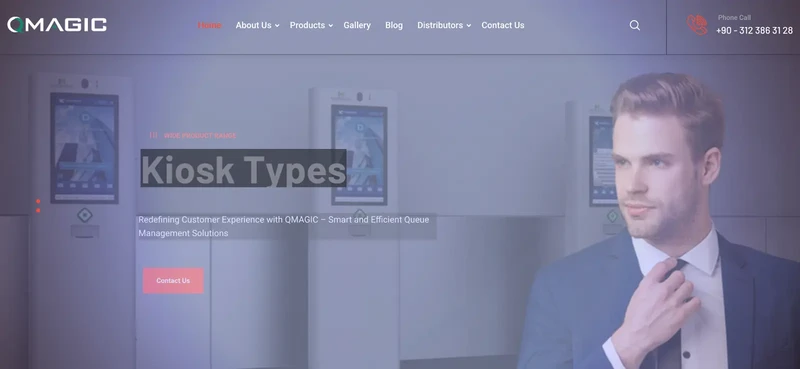
Qmagic runs modern self service kiosk and queue systems for hospitals, clinics, and public facilities needing clean digital flow. Their self-service kiosks merge ticketing, check-ins, and payments (model-dependent) to eliminate bottlenecks and slash DMV wait times in public spaces.
Real-time displays and custom workflows show visitors exactly where to go, creating smoother experiences for staff and citizens alike.
Key Features:
Self-service kiosks with 17", 19", or 22" capacitive touchscreens
Vandal-resistant tempered glass for durability
Payment-ready hardware (cash or credit options)
RFID smart card reader for identity workflows
Built-in webcams for verification
Central software manages ticketing, check-in, queue status
Pros:
Hardware handles payments, identity checks, multi-step processes
Visual queue screens eliminate visitor confusion
Kiosk durability survives high-traffic abuse
Cons:
Kiosk hardware mandatory for full features
Custom flows often need configuration support
G2 Rating: N/A
Pricing: Pricing available on request.
8. Qtip
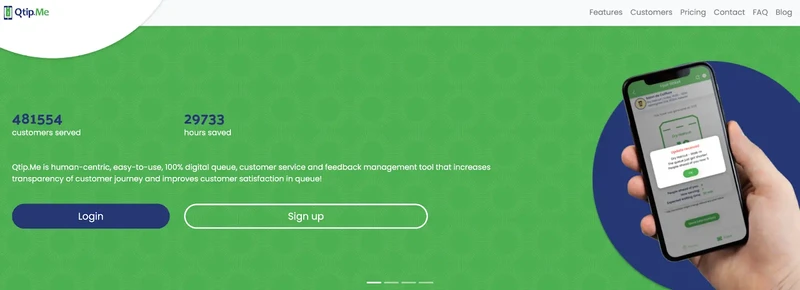
Qtip offers lightweight self-service kiosks and queuing for smaller clinics, labs, and service centers attacking wait times without enterprise complexity. Multiple queue entry points, mobile, browser, in-clinic kiosks, handheld devices, make check-ins fast and lines disappear.
For locations fighting DMV wait times, Qtip's digital flow lets people wait anywhere and return when their turn arrives.
Key Features:
Remote queue joining via web, iOS, Android
Walk-in self service kiosks dispense virtual or paper tickets
Real-time SMS, email, in-app queue updates
Ticket-to-desk screen announcements in waiting rooms
Post-checkout feedback collection
Offline mode for basic queue tracking
Pros:
Perfect for small facilities needing simple queue control
Multiple kiosk and mobile options support accessibility
Cons:
Free version caps staff access and ticket volume
Can't handle large hospitals with complex patient journeys
G2 Rating: N/A
Pricing: Starts at €79/month.
Also Read - 32 Best Virtual Queue Systems – Free & Paid
Choose the Right Self-Service Kiosk to Cut Wait Times Fast
Self-service kiosks became essential for slashing lines, improving accuracy, and handing control to visitors. Hospitals to DMVs, the right kiosk setup accelerates check-ins, empties waiting rooms, and guides people through each step clearly.
Mobile check-ins, ticket kiosks, or full queue automation, picking platforms matching your workflow drives shorter waits and smoother operations.
For kiosk platforms that scale simply and handle real-world demand, Qminder delivers intuitive self-service kiosk experiences that actually work.
Start transforming today, book a Qminder demo.
Absolutely. Today's kiosks handle queued visitors and scheduled appointments together, processing both types without jamming up arrivals.
Simple drag-and-drop tools let you modify forms, service menus, or routing paths yourself. Zero coding needed. Updates go live immediately.
Definitely. Current kiosks pack enlarged text, language switching, voice prompts, and help buttons, ensuring everyone navigates check-ins regardless of mobility, sight, or language barriers.
Get to know the author

Aleksandra Sõsun Product Marketing Lead at Qminder
Get to know our solutions
We will give you a short but great overview of how Qminder can improve your business and visitors experience.
Try out Qminder for yourself and see how we can improve your business and visitors experience.