
When online appointment scheduling works well, visitors book faster, show up prepared, and spend less time waiting. When it doesn’t, even simple tasks turn into drop-offs, no-shows, and frustrated website visitors.
The gap usually isn’t the tool. It’s how the visitor website is set up and how easy it is to schedule appointments online without friction. Clear flows, simple forms, and the right information at the right moment make a huge difference.
The goal of good online appointment scheduling software isn’t just to capture bookings, but to guide each website visitor smoothly from first click to confirmed appointment.
In this blog, we’ll share practical tips to help you optimize online appointment scheduling through your visitor website and turn more visits into completed bookings.
Why Online Appointment Scheduling Matters
Your visitor website sets expectations before anyone arrives, and online appointment scheduling plays a big role in that first impression.
When website visitors can schedule appointment online quickly and clearly, they arrive prepared and on time. When booking feels confusing, it creates friction before the visit even starts. Poor online appointment scheduling software often leads to uneven demand, longer wait times, and more manual work for staff.
Outdated booking systems also hurt service quality. Common issues like unclear availability, long forms, and weak mobile support cause drop-offs and no-shows, frustrating website visitors before service even begins.
8 Tips to Optimize Online Appointment Scheduling via Visitor Websites
Optimizing online appointment scheduling isn’t about adding more steps or features. It’s about removing friction so every website visitor can schedule appointment online quickly and confidently from your visitor website.
1. Make Appointment Booking Easy to Find
If visitors have to search for the booking option, many won’t book at all. Online appointment scheduling should be one of the most visible actions on your visitor website, not an afterthought.
Booking links should be placed where website visitors naturally look:
On the homepage, so new visitors know immediately how to take action
On service pages, where intent to schedule appointment online is highest
On contact pages, where people expect clear next steps
Using a dedicated visitor website with built-in scheduling makes it easier to keep booking links consistent across all pages. When online appointment scheduling software removes guesswork, more visitors complete the booking instead of abandoning it.
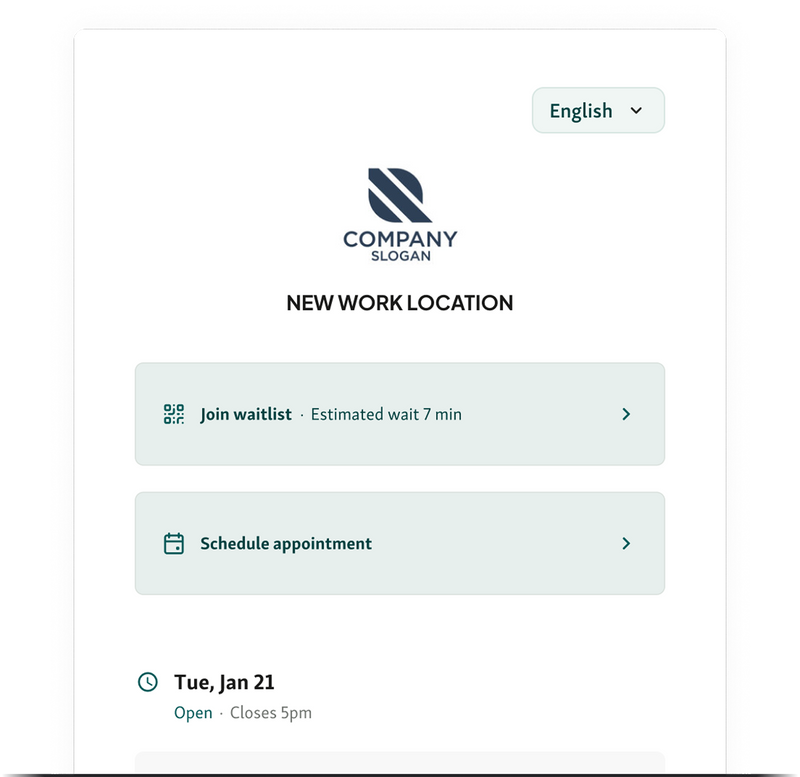
Example:
A clinic adds a “Book an appointment” button to the top of every service page and the homepage hero section. Website visitors no longer need to click around, and completed bookings increase simply because scheduling is always one click away.
2. Keep the Booking Flow Short and Simple
The longer it takes to schedule appointment online, the more likely a website visitor drops off. A clean, fast booking flow is one of the biggest drivers of successful online appointment scheduling on any visitor website.
What to focus on:
Minimize steps
Avoid multi-page booking flows if you don’t need them. Fewer screens mean fewer chances for people to quit halfway through.
Limit form fields
Only ask for information that’s required to confirm the appointment. Extra questions slow things down and frustrate website visitors.
Avoid unnecessary questions upfront
Details that don’t impact scheduling can be collected later, after the appointment is booked.
Good online appointment scheduling software is built to support short, focused flows that work just as well on mobile as desktop.
Example:
A visitor website reduces its booking form from 10 fields to 4. As a result, more visitors complete the flow and successfully schedule appointment online, simply because it feels quick and painless.
3. Offer Real-Time Availability
If visitors can’t tell when you’re actually available, online appointment scheduling starts to feel risky. People don’t want to book blindly or wait for confirmation after they’ve tried to schedule appointment online.
Showing live availability on your visitor website removes that uncertainty. Website visitors can see open time slots, pick what works for them, and move on without follow-up calls or emails.
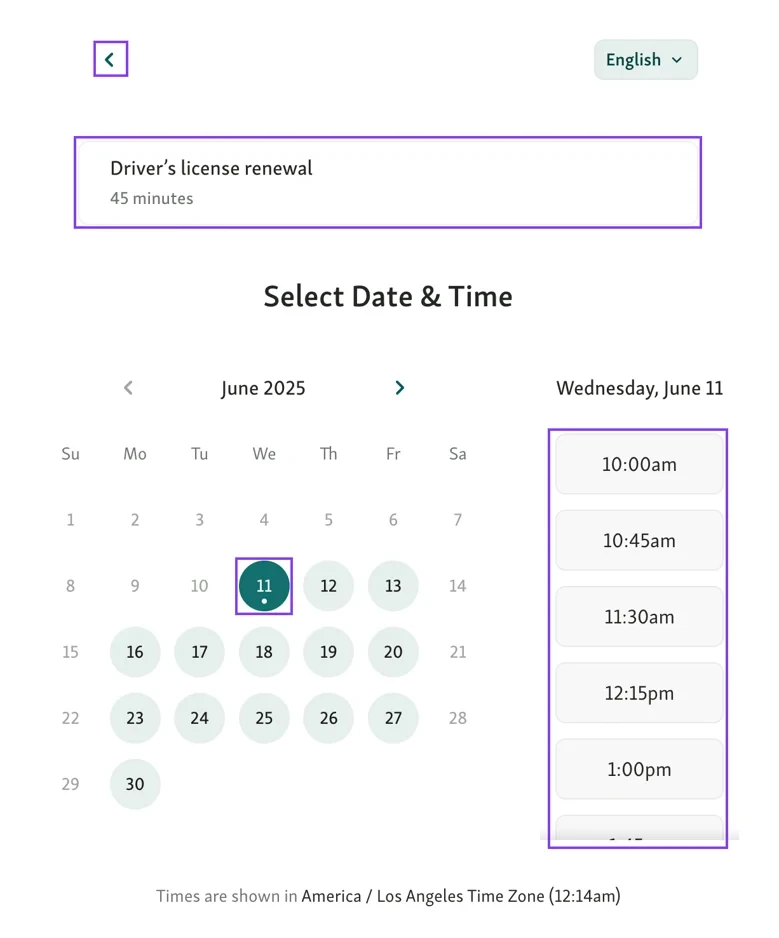
This improves scheduling in a few key ways:
Booking feels instant instead of tentative
Fewer back-and-forth messages to confirm times
Cleaner schedules with fewer overlaps or conflicts
When online appointment scheduling software keeps availability updated in real time, visitors trust the system more and complete bookings faster.
Example:
Instead of submitting a request and waiting for confirmation, visitors choose a live time slot and receive instant confirmation, making it easier to commit and show up.
Also read - Automated SMS Alerts vs. Manual Updates: Which Works Better in Healthcare
4. Clearly Explain What Each Appointment Is For
Confusion during booking leads to problems later. When website visitors don’t understand what they’re booking, they choose the wrong option, arrive unprepared, or need to be rescheduled. That hurts both online appointment scheduling and service flow.
Use your visitor website to list appointment types with short, plain descriptions. Each option should clearly explain what the appointment covers and who it’s meant for, so visitors can confidently schedule appointment online.
This helps in a few important ways:
Fewer incorrect bookings and last-minute changes
Visitors arrive with the right documents or expectations
Staff spend less time fixing scheduling mistakes
Good online appointment scheduling software makes it easy to pair service names with clear explanations, keeping bookings accurate and visits smoother.
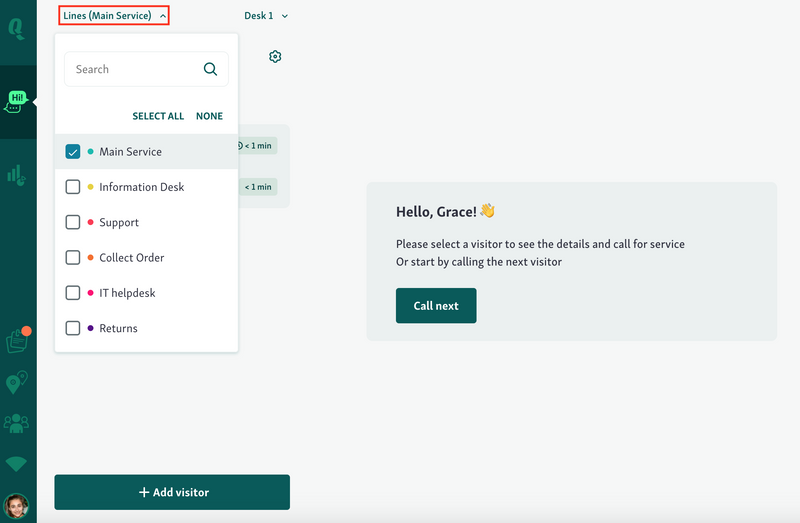
Example:
Instead of “Consultation,” a visitor website lists “New Patient Consultation (30 minutes)” with a short description. Website visitors choose correctly, arrive prepared, and appointments run on time.
5. Enable Automated Confirmations and Reminders
Once someone uses online appointment scheduling, the job isn’t done. If visitors don’t get clear confirmation and reminders, no-shows and last-minute confusion creep in fast.
Automated SMS and emails keep website visitors informed after they schedule appointment online. A confirmation reassures them the booking worked, and reminders help them remember when and where to show up.
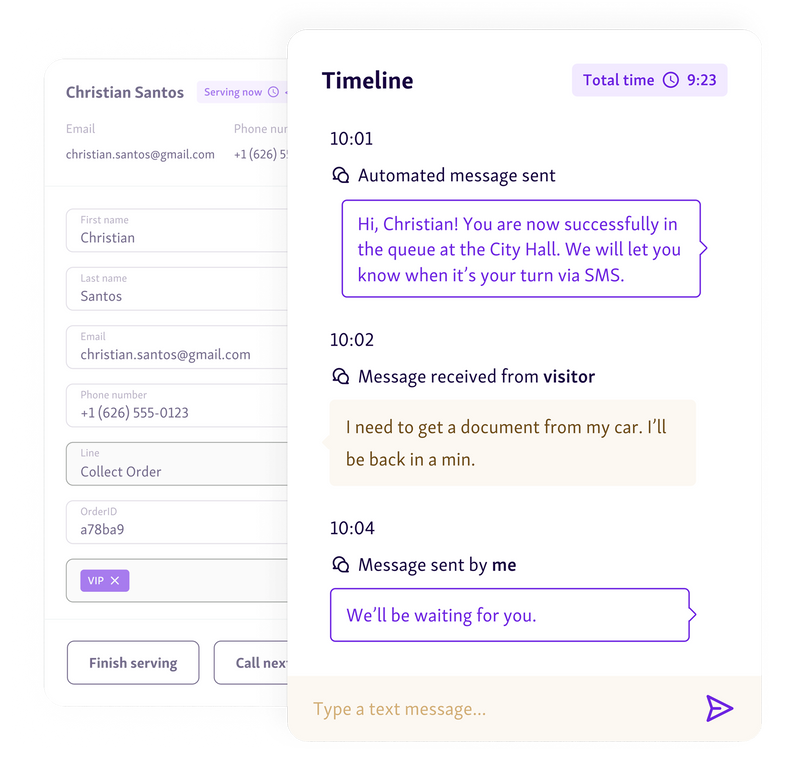
Why this matters:
Fewer no-shows
Timely reminders reduce forgotten appointments, especially for bookings made days or weeks ahead.
Clear expectations before arrival
Confirmations can include time, location, and basic instructions, so visitors arrive prepared.
Less manual follow-up for staff
Automated messages replace reminder calls and emails, saving time.
Strong online appointment scheduling software sends confirmations instantly and reminders automatically, without extra setup each time.
Example:
After booking through a visitor website, a customer receives an immediate confirmation email and a reminder SMS the day before. They arrive on time, prepared, and staff don’t need to chase missed appointments.
6. Support Mobile-Friendly Booking
A large share of website visitors try to schedule appointment online from their phone. If the booking flow doesn’t work well on mobile, those visitors simply won’t finish.
Your visitor website and online appointment scheduling flow should be fully mobile-friendly, not just “technically usable.” Buttons need to be easy to tap, forms should be short, and pages should load quickly on smaller screens.
Why mobile support matters:
Visitors can book whenever it’s convenient, not just at a desk
Fewer drop-offs caused by slow or awkward mobile layouts
A smoother experience for first-time website visitors
Good online appointment scheduling software is designed to adapt across devices automatically, making it easy for visitors to book whether they’re on a phone, tablet, or desktop.
Example:
A visitor starts booking on their phone during a break, completes the flow in under a minute, and gets instant confirmation, without pinching, zooming, or switching devices.
7. Allow Easy Rescheduling or Cancellation
Plans change, and when website visitors can’t easily adjust their booking, it often leads to no-shows instead. Flexible rescheduling is a key part of good online appointment scheduling.
Your visitor website should make it simple to reschedule or cancel without calling or emailing. When visitors can update their appointment themselves, unused time slots reopen quickly and can be booked by someone else.
This helps on both sides:
Visitors feel in control instead of stressed
Staff recover time that would otherwise be wasted
Schedules stay accurate and up to date
Reliable online appointment scheduling software handles changes automatically and keeps availability in sync, so visitors can schedule appointment online with confidence.
Example:
A visitor cancels their appointment the night before through the visitor website. The slot reappears online and gets booked by another visitor, keeping the schedule full without staff intervention.
8. Use Scheduling Data to Improve Availability
Every booking tells you something. When you track how website visitors use online appointment scheduling, patterns start to show up that can help you improve availability instead of guessing.
Looking at peak booking times, frequent no-shows, and popular services helps teams adjust schedules, staffing, and appointment length. This turns your visitor website into more than just a booking page. It becomes a planning tool.
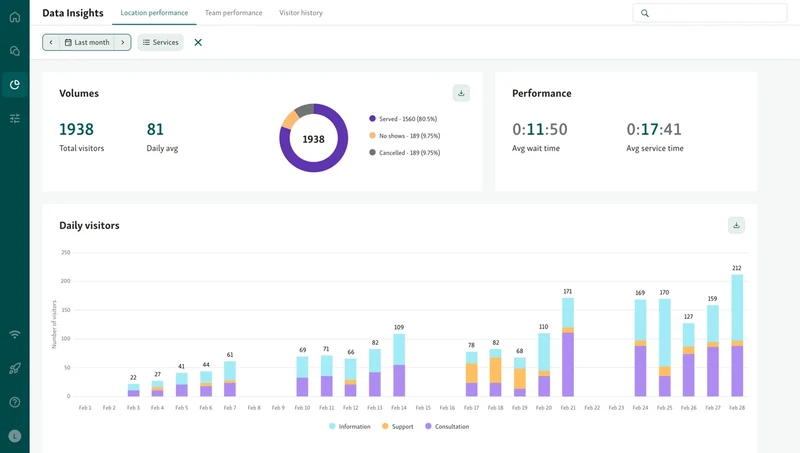
What to pay attention to:
Peak booking periods
Identify when most visitors schedule appointment online and increase capacity during those times.
No-show patterns
Spot repeat gaps in the schedule and tighten reminders or adjust availability.
Service demand trends
See which appointment types fill up fastest and plan resources accordingly.
Strong online appointment scheduling software makes this data easy to review, helping teams make smarter decisions that reduce wait times and improve service without adding pressure.
Example:
A team notices bookings spike every Monday morning. They open additional slots during that window, reducing backlog and giving website visitors more options to book.
You might also like - How Service Intelligence Helps You Run a Smarter Business
Turn Your Visitor Website Into a Booking Engine
Good online appointment scheduling isn’t just about letting people book. It’s about removing friction at every step so website visitors can confidently schedule appointment online without confusion or follow-ups.
Clear booking links, short forms, real-time availability, mobile-friendly design, and flexible rescheduling all work together to reduce no-shows and protect staff time. When you use scheduling data to adjust availability, your visitor website becomes a tool for better planning, not just a calendar.
If you want to put these ideas into practice with flexible visitor websites and built-in scheduling tools, Qminder makes it easy.
Book a demo and see how Qminder can help you optimize online appointment scheduling today.
In most cases, offering online appointment scheduling for as many services as possible increases adoption and reduces front-desk load. If certain services require special handling, they can still be clearly marked or limited without removing online access entirely.
A clear, well-designed visitor website signals reliability. When booking pages look outdated or inconsistent, website visitors may hesitate to schedule appointment online, even if the service itself is trustworthy.
Yes. Offering multilingual booking options on your visitor website helps more website visitors complete the scheduling process independently, reducing errors and support requests.
Get to know the author

Aleksandra Sõsun Product Marketing Lead at Qminder
Get to know our solutions
We will give you a short but great overview of how Qminder can improve your business and visitors experience.
Try out Qminder for yourself and see how we can improve your business and visitors experience.