
Long lines and disorganized waiting areas create frustration for both customers and staff. A structured queue management system brings order, visibility, and measurable control to service environments.
Modern queue management system software replaces manual sign-in sheets and verbal calling with digital tracking, real-time updates, and clear service flow. A well-implemented customer queue management system reduces wait times, improves staff coordination, and provides data for operational decisions.
However, installing a queue management system requires planning, process alignment, and staff training.
This guide explains how to implement queue management system software step by step so organizations can improve service efficiency and customer experience in a structured way.
Why Implement a Queue Management System?
Organizations implement a queue management system to bring structure, control, and measurable performance to service environments. A properly deployed customer queue management system improves both customer experience and internal operations.
Reduce wait times and perceived wait frustration
A queue management system software tracks live queues and organizes service flow. Customers receive clear updates about their position, which reduces uncertainty and makes wait time feel shorter and more predictable.
Improve operational visibility
A queue management system provides real-time dashboards that show queue length, service duration, and staff workload. Managers can adjust staffing and service counters based on actual demand instead of assumptions.
Collect real-time and historical data
Queue management system software records arrival rates, service times, and peak periods. This data supports forecasting, staffing decisions, and long-term planning.
Increase customer satisfaction and staff efficiency
A structured customer queue management system reduces confusion and manual coordination. Staff work within a clear process, and customers experience organized and consistent service.
You might also like - What is Queue Management System? A Definitive Guide
Steps to Implement a Queue Management System
Implementing a queue management system requires structured planning, clear objectives, and measurable outcomes. The following steps explain how to deploy queue management system software in a controlled and effective way.
Step 1: Assess Your Current Queue Challenges
Before implementing a queue management system, you must clearly understand how your current service flow operates. Many organizations assume they know where delays occur, but real performance gaps often appear only after structured observation. A proper assessment creates a factual baseline that guides the configuration of your queue management system software and ensures the customer queue management system solves real problems instead of surface symptoms.
To execute this step effectively:
Observe queue activity across different days and time slots. Record average wait time, service duration, queue length, and abandonment rates.
Identify operational bottlenecks such as slow manual check-ins, unclear service categories, or uneven staff distribution.
Separate performance data for appointments and walk-ins to detect imbalances in demand.
Collect direct feedback from visitors about frustration points and unclear processes.
Interview frontline staff to document inefficiencies, workarounds, and coordination challenges.
Compile at least several weeks of data to create a reliable performance baseline.
Define measurable objectives, such as reducing wait time by a specific percentage or lowering no-show rates.
A structured assessment ensures that the selected queue management system software directly addresses documented operational weaknesses.
Step 2: Define Queue Structure and Service Categories
After assessing current challenges, define how your queue management system will organize visitors. The structure of your customer queue management system determines service speed, fairness, and operational clarity. Clear service categories reduce confusion and allow queue management system software to route visitors accurately.
To execute this step effectively:
List all service types offered and group them into clear, non-overlapping categories. Avoid vague labels that create routing errors.
Segment visitors by appointment status, walk-in type, service complexity, or urgency level.
Decide whether a single-line queue fits your environment or if separate queues are needed for specialized services.
Define priority rules for appointments, urgent cases, or vulnerable groups. Document these rules formally.
Assign each service category to specific counters or staff skill sets within the queue management system software.
Test the structure using real scenarios before full deployment to confirm that routing logic functions correctly.
A well-defined queue structure ensures that your queue management system directs visitors efficiently and prevents service overlap or congestion.
Step 3: Choose the Right Queue Management Technology
Once you define your queue structure, select queue management system software that supports your operational goals. The right customer queue management system should match your service complexity, volume, and compliance requirements. Technology selection directly affects scalability and long-term performance.
To execute this step effectively:
Compare vendors based on core features such as virtual queuing, appointment scheduling, SMS notifications, and real-time reporting.
Verify whether the queue management system supports both walk-ins and appointments in one platform.
Assess scalability to ensure the system can handle growth across multiple locations.
Review integration capabilities with CRM, scheduling tools, and internal reporting systems.
Confirm compliance with data protection regulations and role-based access controls.
Request a live demonstration and test the interface from both staff and visitor perspectives.
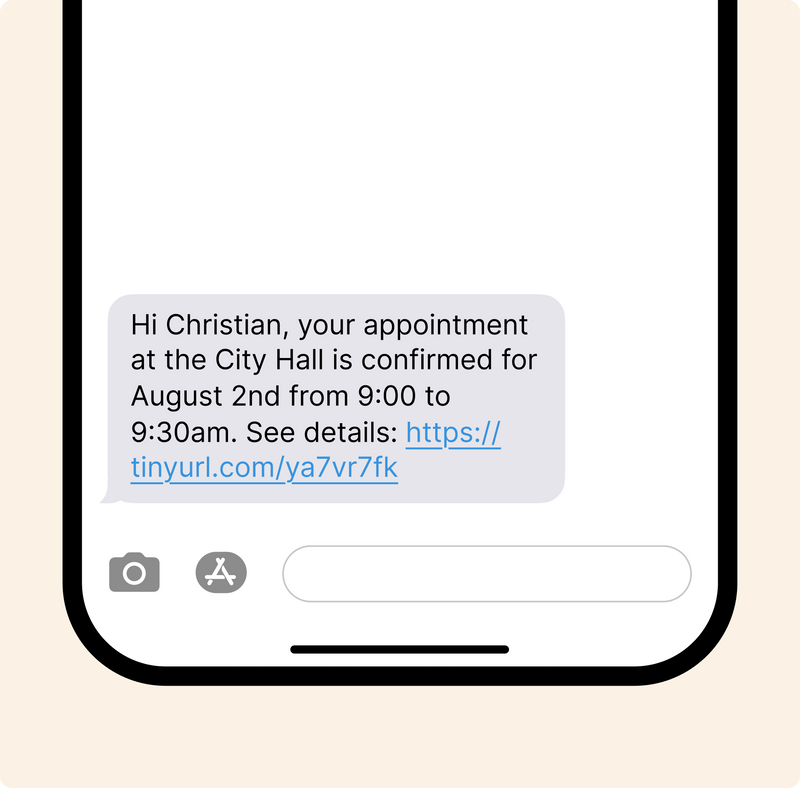
For example, platforms such as Qminder provide flexible configurations suitable for government offices, hospitals, and retail environments. Selecting queue management system software that aligns with operational needs ensures long-term reliability and measurable improvement.
Start Your Queue System Rollout
Step 4: Set Up Digital Check-In Points
After selecting your queue management system software, configure how visitors enter the system. Digital check-in points are critical to the success of a customer queue management system because they control data accuracy and service routing from the beginning of the visit.
To execute this step effectively:
Install self-service kiosks at entry areas so visitors can select their service category without staff assistance.
Enable mobile or web-based check-in options to allow remote registration before arrival.
Configure check-in workflows that match your defined service categories and priority rules.
Remove paper sign-in sheets and verbal registration to eliminate duplicate or inaccurate entries.
Test the check-in process during peak hours to ensure stability and ease of use.
Provide clear instructions on-screen to guide visitors through the process.
A properly configured digital check-in setup ensures that the queue management system software collects accurate information and routes visitors efficiently within the customer queue management system.
Helpful read - How Investing in Self-Service Kiosks Helps Queuing
Step 5: Enable Virtual Queuing and Notifications
Virtual queuing expands the capability of your queue management system by allowing visitors to wait outside the physical lobby. A well-configured customer queue management system reduces congestion and improves perceived service efficiency through proactive communication.
To execute this step effectively:
Activate virtual queuing features within your queue management system software so visitors can receive SMS updates instead of waiting in line physically.
Configure automated notifications that inform visitors when their turn is approaching.
Provide accurate live wait time estimates to set realistic expectations.
Enable two-way messaging so visitors can confirm arrival, notify delays, or request assistance.
Monitor message delivery rates and response patterns to ensure reliability.
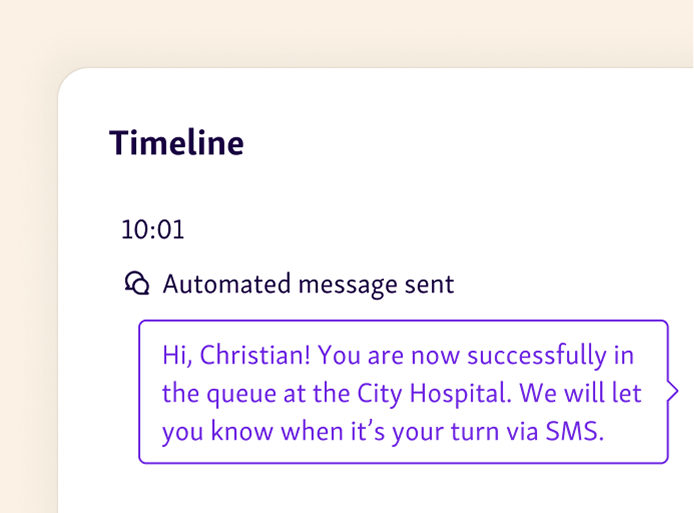
Virtual queuing reduces overcrowding, improves comfort, and increases transparency. When visitors remain informed about their position and expected wait time, the customer queue management system improves satisfaction without requiring additional staff.
Step 6: Train Staff and Assign Clear Roles
A queue management system only performs well when staff understand how to use it correctly. Training ensures that queue management system software supports operations instead of creating confusion. Clear role assignment prevents overlap and ensures accountability within the customer queue management system.
To execute this step effectively:
Train front-desk staff on how to use the live dashboard, call visitors, and update service status accurately.
Assign a designated queue supervisor responsible for monitoring live queues and responding to congestion.
Define who adjusts staffing during peak periods and who manages priority routing decisions.
Teach staff how the queue management system software tracks wait time, service duration, and visitor data.
Conduct scenario-based practice sessions to prepare staff for high-volume situations.
Review performance reports with staff so they understand how their actions affect measurable outcomes.
When staff roles are clearly defined and training is structured, the customer queue management system operates efficiently and consistently.
Step 7: Monitor Performance and Optimize Continuously
Implementation does not end after deployment. A queue management system requires ongoing measurement and refinement. Continuous monitoring ensures that queue management system software adapts to changing demand patterns and service volumes. A customer queue management system improves over time when data drives decisions.
To execute this step effectively:
Use built-in service analytics to track average wait time, service duration, queue length, and abandonment rates.
Review performance weekly to identify recurring peak hours and high-congestion periods.
Compare data across days and service categories to detect structural inefficiencies.
Adjust staffing levels and counter allocation based on historical and real-time reports.
Refine service categories or priority rules if routing patterns create delays.
Set performance benchmarks and evaluate progress against initial implementation goals.
Ongoing optimization ensures that the queue management system remains aligned with operational needs and continues to deliver measurable improvements.
Read more - The ROI of Queue Analytics for Enterprises
Common Mistakes to Avoid During Implementation
Even a well-designed queue management system can fail if implementation lacks structure. Avoiding common mistakes ensures that queue management system software delivers measurable results and that the customer queue management system performs as intended.
Skipping staff training
Without proper training, staff may misuse dashboards, override routing rules, or revert to manual processes. This reduces the effectiveness of the queue management system and creates inconsistent service flow.
Not setting measurable KPIs
Implementing queue management system software without defined targets makes success difficult to evaluate. Organizations must establish clear metrics such as average wait time, service duration, and abandonment rate before deployment.
Ignoring customer communication
If visitors do not understand how the customer queue management system works, confusion increases. Clear instructions, visible queue displays, and automated notifications are essential.
Failing to analyze collected data
A queue management system generates valuable operational data. If teams do not review reports regularly, they miss opportunities to optimize staffing, routing, and service structure.
Implement Your Queue Management System with Structure and Discipline
A successful queue management system requires more than software installation. Organizations must assess current challenges, define clear service categories, configure digital check-in, enable virtual queuing, train staff, and monitor performance continuously.
Queue management system software delivers measurable results only when paired with structured goals and ongoing optimization. A well-managed customer queue management system reduces wait times, improves transparency, and strengthens operational control across service environments.
Solutions like Qminder help organizations deploy scalable and data-driven queue management system software.
Explore how Qminder can support your rollout today.
Implementation timelines depend on location size, integration needs, and staff readiness. Smaller environments may deploy queue management system software within weeks, while multi-location organizations may require phased rollouts over several months.
Yes. Most modern customer queue management system solutions allow centralized control across multiple locations. Administrators can configure settings per branch while maintaining unified reporting and governance.
Hardware needs vary by setup. A queue management system may use kiosks, tablets, desktop dashboards, display screens, and SMS-enabled communication tools. Cloud-based queue management system software reduces infrastructure requirements compared to on-premise systems.
Get to know our solutions
We will give you a short but great overview of how Qminder can improve your business and visitors experience.
Try out Qminder for yourself and see how we can improve your business and visitors experience.
![The Ultimate Waiting Room Checklist: 65+ Ways to Enhance Your Space [PDF]](/static/img/cms-blog/9Nb3bvvnMqH4j9SnqQLtw/improve-waiting-room-checklist.png)