Public sector teams face crushing foot traffic, tangled requests, and impatient citizens who want everything yesterday, faster, clearer, bulletproof service.
The right service dashboard hands departments instant operational X-ray vision. Bottlenecks vanish, performance tracking happens automatically, workload spikes get handled immediately.
No more spreadsheet gymnastics, email archaeology, or system-hopping madness. One centralized dashboard shows queue status, staff moves, service metrics, everything visible instantly.
In this blog we’ll look at eight service dashboard providers transforming government offices, city halls, DMVs, clinics, and public agencies into smooth-running machines that citizens actually appreciate.
TL;DR (Comparison Table)
Here’s a quick, at-a-glance breakdown of the top service dashboard providers so you can compare tools fast without digging through long reviews.
Provider | Ideal For | Key Strength | Pricing |
Multi-location public-sector offices, city halls, DMVs, clinics | Extremely intuitive customer service dashboard with deep visitor history, real-time routing, and two-way messaging | $389–$1049/month, free trial | |
Qmatic | Large agencies with complex multi-department workflows | Advanced BI (Data Connect), strong hardware ecosystem, powerful routing logic | Pricing on request |
Wavetec | High-traffic public-sector environments needing analytics + WhatsApp engagement | Spectra BI dashboards, AI-based forecasting, full omnichannel queue + signage system | Pricing on request |
Vizitor | Budget-conscious offices wanting fast digital check-ins | Simple tablet + QR check-in with clean cloud service dashboard and smart token flow | Starts at $36/month |
Juvonno | Clinics needing documentation, SOAP notes, billing + scheduling combined | Robust charting + billing workflows, all-in-one healthcare operations dashboard | Starts at $49/month |
Square Appointments | Public offices needing simple booking + payments in one place | Mobile-friendly scheduling with built-in POS and easy staff management | Free for 1 location, paid from $29/month |
Qtrac | Hospitals and public facilities with multi-stage, heavy visitor traffic | Strong real-time alerts, multi-building dashboard, triage/greeter mode | Pricing on request |
Nemo-Q | Agencies blending virtual check-ins with in-person flows | Hybrid check-in system + advanced digital signage and feedback tools | Starts at $290/month |
Top 8 Service Dashboard Providers
A centralized service dashboard helps public-sector teams track queues, appointments, staff activity, and citizen requests without jumping between systems. Here’s a curated list of the top platforms that simplify daily operations and improve overall service delivery.
1. Qminder
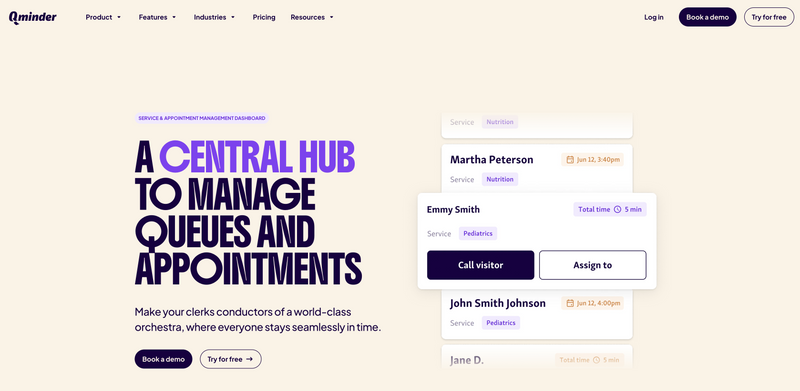
Qminder is a powerful customer service dashboard built for public-sector teams who need real-time visibility into queues, appointments, and citizen activity. Instead of clerks relying on paper lists or verbal updates, Qminder provides a centralized service dashboard that shows every visitor in line, what they need, and where they should go next.
Staff can manage multi-step processes, correct self-registration mistakes, reassign people to new queues, call visitors instantly, and communicate through two-way messaging, all from one service desk dashboard.
Key Features:
Central service dashboard for appointments, queues, and visitor routing
Customizable views with tags, wait times, and visitor history
Fast reassignment across services or team members
Automated notifications through two-way messaging
Waiting room TV integration for real-time calling
Multi-location performance metrics and daily summaries
SOC 2 Type II, HIPAA, GDPR compliance
Pros:
Extremely intuitive interface for clerks
Rich visitor history supports accurate service decisions
Automates early steps and reduces bottlenecks
Ideal for multi-location public-sector operations
Cons:
Feature-rich environment may feel advanced for very small offices
G2 Rating: 4.6
Pricing:
Free 14-day trial
Starter: $389/month
Business: $789/month
Premium (Recommended): $1049/month
2. Qmatic

Qmatic runs established public-sector workflow and queuing platforms for city halls, DMVs, healthcare centers, and government facilities drowning in traffic. Forget manual department coordination.
Qmatic delivers structured customer service dashboards and unified service flow. Citizens check in through kiosks or QR codes, or online links, the system routes them automatically to correct queues. The service dashboard shows staff wait times, priority cases, and bottlenecks live.
Key Features:
Centralized service desk dashboard managing queues and flow
Web, kiosk, or QR check-in with virtual tickets
Priority routing for urgent/special cases
Real-time displays plus mobile ticket updates
Data Connect BI API for analytics (Power BI, Tableau, Qlik)
Legacy HIS and workflow system integrations
ISO 27001:2022 security controls
Pros:
Handles twisted multi-department public workflows
Analytics shine through dashboards and BI integrations
Manages walk-ins and appointments smoothly
Cons:
Setup intimidates non-technical teams
Interface overwhelms small offices
G2 Rating: 3.8
Pricing: Available on request.
3. Wavetec

Wavetec provides an enterprise-grade customer service dashboard ecosystem built for large public-sector environments, DMVs, city halls, clinics, and government service centers with heavy foot traffic. Its platform blends appointment scheduling, virtual queuing, WhatsApp registration, digital signage, and feedback tools into one centralized service dashboard.
Through its Spectra reporting module, Wavetec turns every citizen interaction into measurable data. Agencies can track KPIs, monitor wait times in real time, analyze staff performance, and use BI + AI-driven predictions to optimize service models.
Key Features:
Unified service dashboard for queues, appointments, and live service flow
WhatsApp-based booking, check-in, and virtual tickets
Interactive digital signage for real-time guidance
Post-visit feedback via SMS or WhatsApp
Spectra BI dashboards with 50+ reports and AI-driven forecasting
Central configuration + multi-branch management
SOC 2 Type II, ISO 27001:2022, GDPR & HIPAA compliance
Pros:
Deep analytics for data-driven decision-making
Strong WhatsApp engagement for accessible citizen interactions
Combines queue control, signage, and feedback in one platform
Cons:
Kiosk + signage deployment requires operational planning
Feedback + BI modules may extend setup time
G2 Rating: 4.8
Pricing: Available on request.
4. Vizitor
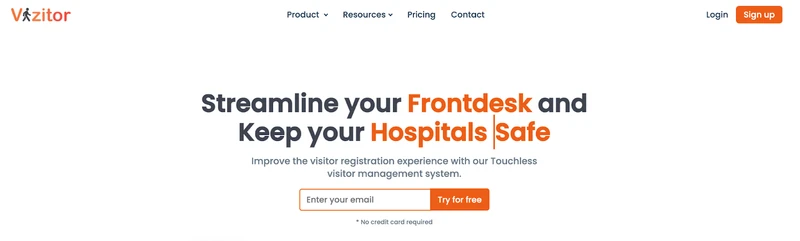
Vizitor offers a lightweight yet capable customer service dashboard built for public-sector environments that need fast, digital check-ins without piles of paperwork. Citizens sign in using a tablet, QR code, OTP, or mobile browser, and the system updates their position in real time, reducing lobby crowding and unnecessary front-desk conversations.
Its cloud-based service dashboard gives clerks a live view of visitor flow, department-wise queues, and pending actions, making it easier to route people to the right service counter.
Key Features:
Digital check-in via tablet, phone, QR code, or OTP
Real-time queue updates through SMS or app notifications
Smart token assignment for multiple departments or service lines
Auto-reset queues and token management each day
Central service dashboard for live visitor logs, wait times, and flow tracking
Cloud-based architecture with exportable reports
OTP verification, audit logs, and GDPR/CCPA/HIPAA-aligned practices
Pros:
Simple interface for both citizens and staff
Handles high visitor volume across several departments
Cons:
Setup support may be needed in large public-sector deployments
Custom branding limitations in lower pricing tiers
G2 Rating: 4.1
Pricing: Starts at $36/month.
5. Juvonno
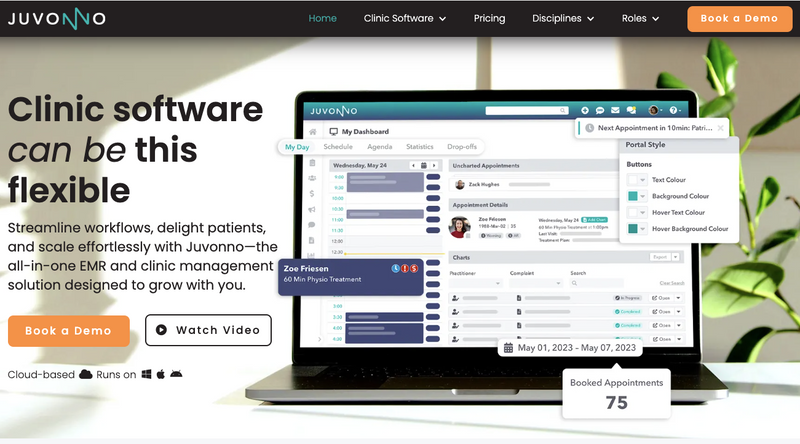
Juvonno delivers all-in-one clinical operations for healthcare providers needing real functionality beyond basic scheduling or check-ins. Lightweight queue tools can't compete with Juvonno's advanced charting engine and workflows. Clinics depending on precise SOAP notes, treatment plans, and patient histories find their match here.
Beyond documentation, the centralized customer service dashboard connects appointments, billing, insurance claims, and communication—creating seamless service dashboard experiences from check-in through checkout.
Key Features:
Customizable SOAP note templates standardize charting
Patient portal handles secure messaging and records
Built-in billing and insurance claims processing
Automated reminders kill no-shows
Dashboard displays schedules, charts, follow-ups, patient stats
Flexible workflows match different practices
Pros:
Perfect for documentation-heavy practices
Operations flow from booking through billing in one system
Cons:
Setup and onboarding drag on
Small clinics and solos find pricing steep
G2 Rating: 4.8
Pricing: Starts at $49/month.
6. Square Appointments
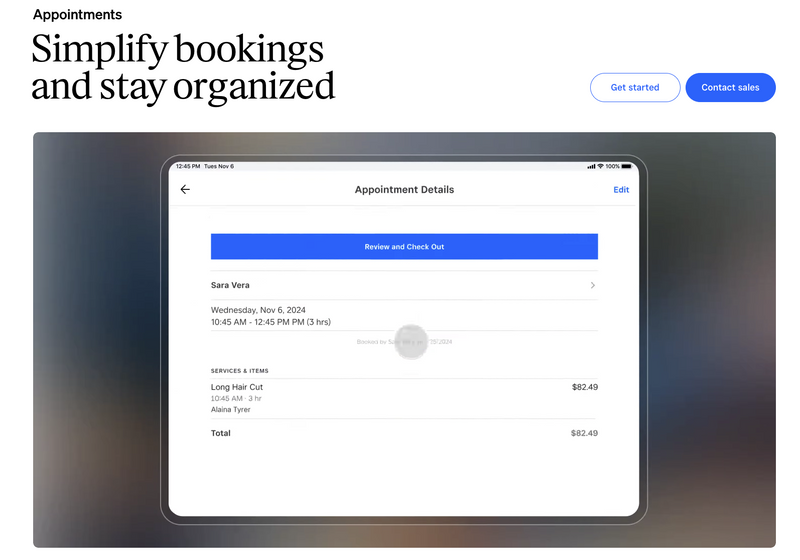
Square Appointments operates as a scheduling and payments platform doubling as lightweight visitor management, perfect for public offices, libraries, community centers, and multi-location agencies coordinating bookings simply.
The built-in POS creates a unified customer service dashboard where staff manages appointments, processes payments, and tracks activity without system-switching. Clean interface plus mobile-first design makes it a practical service dashboard for citizens booking from phones.
Key Features:
Built-in POS for secure, instant payments
Mobile-friendly booking and staff scheduling
Google Calendar syncing
Handles online and walk-in appointments
Staff management and commission tracking
Pros:
User-friendly, mobile-ready interface
Merges scheduling and payments together
Cons:
Only syncs with Google Calendar
Locked to Square payment processing
G2 Rating: 4.6
Pricing: Free for one location. Paid plans start at $29/month per location.
7. Qtrac
Qtrac is a high-volume digital lobby and flow-management platform designed for hospitals and public-sector facilities dealing with heavy foot traffic. It centralizes walk-ins, virtual check-ins, and scheduled appointments into one unified customer service dashboard, giving staff full visibility into who’s arriving, where they need to go, and how long they’ve been waiting.
As a service dashboard, it helps teams manage complex patient journeys across multiple departments, buildings, or service stations. Its real-time monitoring tools also make it a reliable service desk dashboard for organizations that need fast routing and instant operational insights.
Key Features:
Queue re-routing to shift patients between departments smoothly
Real-time alerts triggered when wait times exceed limits
Greeter mode for pre-screening and triage
Offline mode to keep operations running during outages
Centralized dashboard for multi-building oversight
Pros:
Excellent for facilities with complicated layouts or multi-stage service flows
Front-desk and greeter teams can redirect visitors instantly
Cons:
Greeter workflows require initial staff training
Offline sync can lag when restoring network connectivity
G2 Rating: 4.7
Pricing: Available on request.
8. Nemo-Q
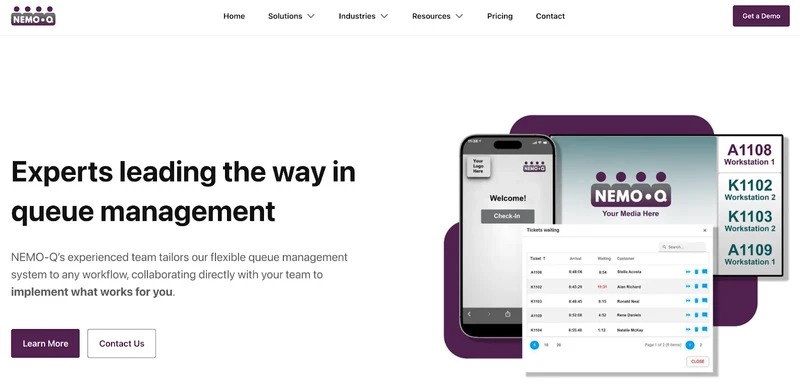
Nemo-Q delivers flexible patient flow and queue management for hospitals and public agencies needing centralized customer service dashboards to juggle scheduled and walk-in traffic. Multi-entry system, QR codes, kiosks, mobile links, web check-ins, prevents lobby pile-ups while feeding visitors real-time wait updates, ticket status, next steps.
Staff gets unified service dashboard visibility into queue loads, department capacity, service progression. Works as a reliable service desk dashboard with built-in signage, alerts, and post-visit feedback.
Key Features:
Check-in through QR, self-service kiosk, mobile link, or online
Digital signage shows ticket numbers, instructions, wait estimates
Real-time SMS alerts and queue updates
Appointment scheduling mixed with walk-in traffic
Built-in patient feedback module
Pros:
Perfect for hospitals blending virtual check-ins with in-person service
Handles multi-department or multi-building setups
Cons:
Staff needs training for hybrid flows
Advanced signage requires setup time
G2 Rating: N/A
Pricing: Starts at $290/month
Also Read - 32 Best Virtual Queue Systems – Free & Paid
Choose the Right Service Dashboard to Transform Public Operations
Public-sector teams can't survive without strong service dashboards anymore. Managing hospital flow, city hall requests, licensing offices, or multi-building traffic, the right platform streamlines check-ins, boosts transparency, slashes wait times, and hands staff actual control.
These tools bring different strengths, hardcore analytics or multi-channel check-ins, but chase the same target: smoother service and citizen outcomes that matter.
Want everything unified, queues, appointments, messaging, real-time oversight, in one spot? Qminder delivers complete, compliant, dead-simple solutions.
See Qminder live and transform your service experience today.
Check scalability, setup simplicity, security compliance, and dual support for appointments plus walk-ins. Verify the provider delivers staff training and responsive support when problems hit.
Most platforms offer APIs or native hooks for CRMs, EMRs, payment tools, or identity systems. Confirm compatibility with your tech stack before committing.
Implementation varies by complexity. Cloud tools often launch in phases within weeks. Bigger deployments demand coordinated onboarding, device setup, and workflow testing before going live.
Get to know the author

Aleksandra Sõsun Product Marketing Lead at Qminder
Get to know our solutions
We will give you a short but great overview of how Qminder can improve your business and visitors experience.
Try out Qminder for yourself and see how we can improve your business and visitors experience.