High-traffic government locations deal with long lines, crowded waiting areas, and frustrated visitors every day. When check in is slow or unclear, everything backs up fast.
That’s why more agencies are turning to remote sign in and remote check in systems to manage demand before people even walk through the door. Letting visitors check in remotely reduces congestion, spreads arrivals more evenly, and gives staff better control over service flow.
In busy environments like licensing offices, public service centers, and municipal buildings, these systems help replace physical lines with digital ones that are easier to manage.
In this blog, we’ll break down the top eight remote sign in systems built to handle high traffic while improving the overall check in experience for both visitors and staff.
Quick Comparison Table - TL;DR
Here’s a quick side-by-side view of popular remote sign in and remote check in tools, focusing on what they actually do and how they’re priced.
Tool | Key Features (Short) | Remote Check-In Options | Pricing |
Qminder | Virtual queues, analytics, multi-location dashboards | QR code, mobile link, web, kiosk | Starts at $389/month |
Qmatic | Mobile ticketing, priority routing, enterprise analytics | QR, SMS, web, kiosk | Price on request |
Wavetec | WhatsApp check-in, digital signage, feedback tools | WhatsApp, QR, web, kiosk | Price on request |
Qnomy | Virtual lobby, skill-based routing, workflow automation | Kiosk, mobile app, virtual lobby | Price on request |
QLess | Callback queuing, two-way messaging, AI scheduling | Mobile, web, kiosk | Price on request |
Nemo-Q | Digital signage, blended appointments & walk-ins | QR, kiosk, mobile | Starts at $290/month |
QueuePad | Simple QR check-in, offline mode | QR, tablet | Free / $19.99/month |
Qwaiting | Multilingual queues, cloud dashboards | Mobile, web, kiosk | Price on request |
8 Best Remote Sign-In Systems
The best remote sign in systems help high-traffic government locations reduce congestion, speed up check in, and give visitors more control over their time. These tools replace physical lines with digital queues that are easier to manage and scale.
1. Qminder
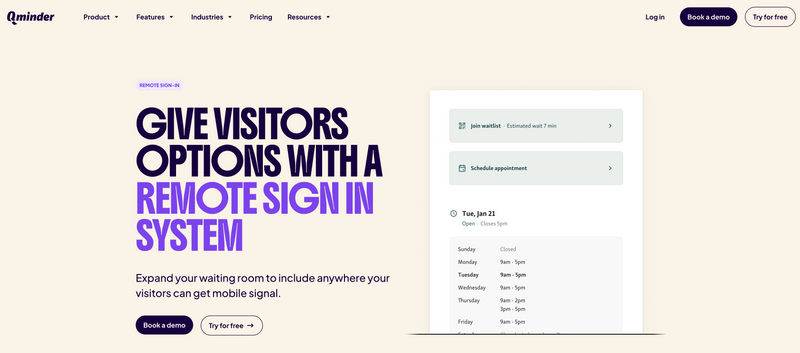
Qminder is a remote check in and remote sign-in system built for high-traffic government and public service locations where long lines and crowding are common. Visitors can check in from their phone, scan a QR code on-site, or use a browser-based visitor website. Once signed in, they join a virtual waitlist and receive real-time updates about their place in the queue.
For staff, Qminder provides a live service dashboard that shows queue activity, wait times, and bottlenecks across one or multiple locations. By moving check in away from the counter and into a digital flow, front desks stay clear and service becomes more predictable.
Key features
Remote sign in via QR codes, mobile links, or a visitor website
Virtual waitlists for walk-ins and scheduled visitors in one system
Real-time SMS updates so visitors know when their turn is coming
Service dashboard with live queue status and historical performance data
Multi-location queue management from a single admin view
Custom check-in fields to collect required visitor details in advance
Two-way messaging to communicate with visitors after check in
Multilingual sign-in and displays to support diverse communities
Pros
Very easy for visitors, with no app download required
Reduces crowding and front-desk workload immediately
Strong reporting to improve staffing and service flow
Scales well for large, multi-location government offices
Cons
May feel more robust than necessary for very small or low-traffic offices
G2 rating: 4.6
Pricing: Free 14-day trial. Paid plans start at $389/month.
2. Qmatic

Qmatic is a remote sign in and remote check in platform built for complex, high-traffic environments like hospitals and large public service organizations. It’s designed to handle heavy visitor volume where a simple check in flow isn’t enough and advanced routing and analytics are required.
Visitors can check in remotely using a QR code, SMS link, or URL, receive a mobile ticket, and wait offsite while tracking their place in line in real time. On the backend, staff and managers get live dashboards showing queue status, wait times, and service load, helping them manage customer flow across departments and service types.
Key features
Remote sign in via QR code, SMS, or web link
Mobile ticketing with live queue status updates
Virtual queuing so visitors can wait offsite
Priority routing for urgent, elderly, or special cases
Integration with hospital and enterprise systems via HL7
Post-visit feedback and survey tools
Pros
Built for large, complex environments with high traffic
Handles appointments, walk-ins, and priority queues together
Cons
HL7 integration requires technical setup in larger organizations
Admin interface can feel complex for non-technical teams
G2 rating: 3.8
Pricing: Available on request.
3. Wavetec

Wavetec offers an enterprise-grade remote sign in and remote check in system built for hospitals and high-traffic government locations that need tight control over visitor flow. It combines appointments, digital check in, virtual queues, and post-visit feedback into a single platform designed to reduce congestion and improve service consistency.
Visitors can book in advance, check in digitally using WhatsApp, web links, QR codes, or kiosks, and receive a virtual ticket that lets them wait without crowding reception areas. Throughout the visit, digital signage and mobile updates keep people informed, while staff get real-time visibility into queue status and service performance.
Key features
WhatsApp-based appointment booking and remote check in to increase adoption
Virtual tickets that allow visitors to wait offsite after check in
Interactive digital signage showing queue status and service guidance
Self-service kiosks for check in, billing, printing, and information access
Post-visit feedback collection via SMS or WhatsApp
Feedback and performance dashboards highlighting service gaps
Pros
Strong WhatsApp-based check in that feels natural for visitors
Combines queue management and feedback in one system
Cons
Kiosk deployment requires coordination across departments
Feedback features add configuration steps during rollout
G2 rating: 4.8
Pricing: Available on request.
4. Qnomy
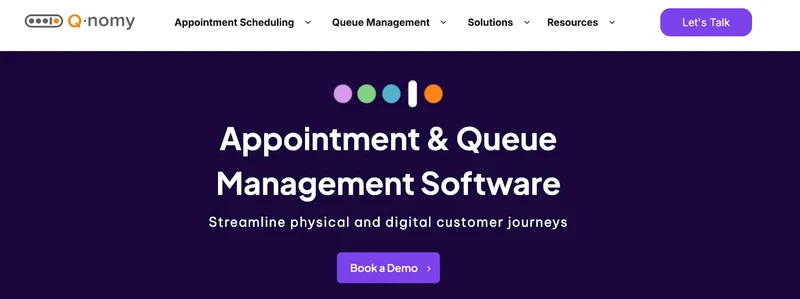
Qnomy is a remote sign in and remote check in platform designed for hospitals and large public organizations that need to manage more than just a line. It focuses on the full visitor journey, from appointment booking and check in to service routing and follow-up, making it a strong fit for environments where multiple departments must work together.
Visitors can check in through kiosks, mobile apps, or a virtual lobby, creating a digital waiting room instead of a physical one. Once signed in, patients are routed based on priority, service type, staff availability, or skill set. This makes Qnomy especially useful in hospitals where care coordination matters as much as speed.
Key features
Remote sign in through kiosks, mobile apps, and virtual lobby access
Digital waiting room that replaces physical queues
Skill-based and priority routing to match patients with the right staff
Custom workflows aligned with hospital protocols and patient types
Multi-service scheduling from a single patient portal
Interaction tracking across kiosks, chat, video calls, and in-person visits
Pros
Strong fit for hospitals that need to connect front-office check in with back-office operations
Flexible workflows that can be customized without heavy development work
Cons
Initial setup can take time to align workflows with existing systems
Interface may feel complex for teams used to simpler queue tools
G2 rating: 4.3
Pricing: Available on request.
5. QLess
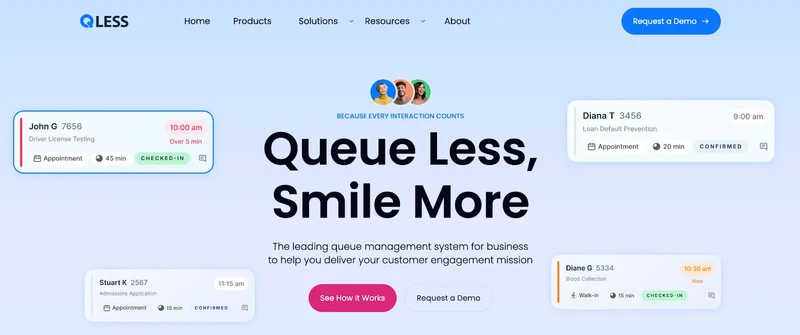
QLess is a remote sign in and remote check in system widely used by U.S. healthcare providers and DMV offices that need to handle high visitor volume without packed waiting rooms. It focuses heavily on communication and flexibility, allowing people to check in remotely and wait wherever they’re comfortable instead of standing in line.
Visitors can join a virtual waiting room from their phone, app, computer, or an on-site kiosk. Once checked in, they receive live updates, delay alerts, or callbacks when it’s their turn. On the staff side, QLess provides tools to balance demand across locations, manage closing-time flow, and keep queues from getting out of control.
Key features
Remote sign in via mobile, app, web, or kiosk
Virtual waiting room with live queue status and delay alerts
Two-way messaging between staff and visitors
Callback queuing so visitors can wait offsite
AI-powered scheduling to balance demand across locations
Dynamic flow control that limits queues near closing time
Pros
Strong two-way communication reduces confusion and repeat questions
Callback queuing helps cut no-shows and lobby crowding
Cons
Callback workflows require careful staffing to avoid overload
Smaller clinics may not need the full AI-driven feature set
G2 rating: 4.3
Pricing: Available on request.
6. Nemo-Q
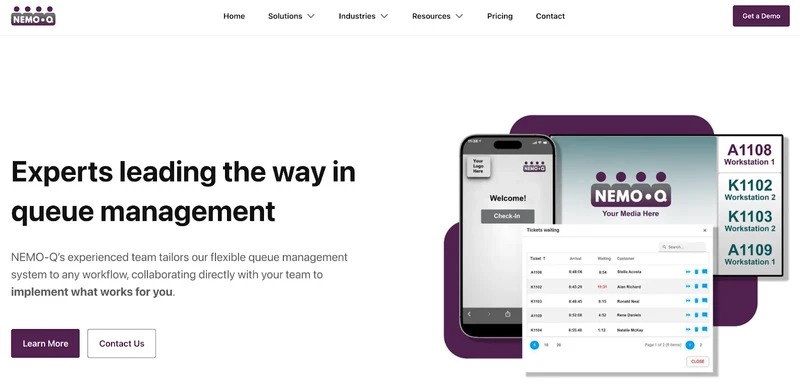
Nemo-Q is a remote sign in and remote check in system focused on simplifying visits in hospitals and high-traffic government locations. It replaces physical lines with digital check in flows while keeping patients informed about what’s happening and where they need to go next.
Visitors can check in using QR codes, kiosks, or mobile links, then wait remotely while receiving real-time updates about their place in line. Digital signage guides patients inside the building, while staff dashboards show queue load across departments so teams can balance demand and avoid bottlenecks.
Key features
Remote sign in through QR codes, kiosks, or mobile web links
Virtual queues with real-time SMS alerts and wait time updates
Digital signage showing ticket numbers, wait times, and directions
Appointment scheduling blended with live walk-in queue activity
Built-in customer feedback tools to capture post-visit insights
Analytics for wait times, throughput, and service performance
Pros
Flexible setup works across departments and locations
Clear communication reduces confusion during busy periods
Cons
Staff may need training to manage mixed appointment and walk-in flows
Advanced digital signage setups can take time to configure
G2 rating: N/A
Pricing: Starts at $290/month.
7. QueuePad
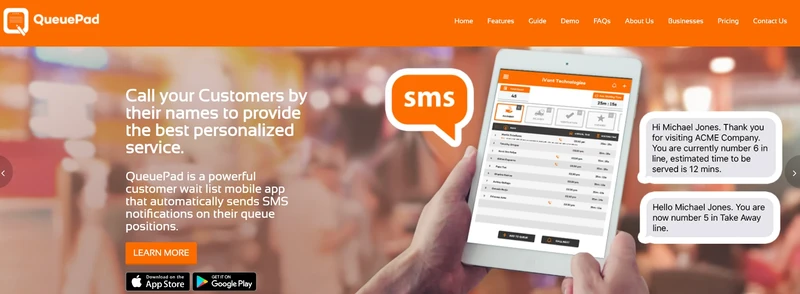
QueuePad is a lightweight remote sign in and remote check in solution designed for smaller clinics and practices that need something fast and simple. It focuses on basic digital check in and queue visibility without the complexity or setup required by enterprise systems.
Patients check in by scanning a QR code at the entrance using their phone. There’s no app to download, and basic queue functions can even run without an internet connection. Staff manage the queue from a tablet or phone, making it easy to keep things moving with minimal overhead.
Key features
QR code check in with no app download required
Mobile and tablet-based queue management for staff
Syncs with a display screen so patients can see queue progress
SMS notifications when it’s time to be seen
Offline support for basic queuing if internet goes down
Option to recall no-shows or call patients by name
Pros
Extremely quick to set up with no IT involvement
Good fit for single-provider clinics and small practices
Cons
Limited reporting and analytics
No deep integrations with hospital or government systems
G2 rating: 3.3
Pricing: Free basic version available. Paid plans start at $19.99/month.
8. Qwaiting

Qwaiting is a cloud-based remote sign in and remote check in system widely used across Asia in hospitals, clinics, and public-sector environments. It’s built to replace paper tokens and manual check in processes with a fully digital queue that staff and visitors can track in real time.
Patients can check in remotely or on-site using kiosks, mobile devices, or a web link. Once in the queue, they receive live updates through SMS, WhatsApp, or email, so they know exactly when to arrive and where to go. For staff, Qwaiting provides a clear view of queue status across departments or branches, making it easier to manage flow during busy periods.
Key features
Remote sign in via mobile, web, or on-site kiosks
Virtual queuing with real-time SMS, WhatsApp, or email updates
Appointment booking combined with live queue management
Staff keypads or desktop tools to call and manage visitors
Custom digital displays showing live queue information
Multilingual support and branding customization
Pros
Real-time reporting helps teams improve service flow
Strong fit for multi-location hospitals and clinics
Cons
Customization can be limited on lower pricing tiers
Mobile interface may feel slower in very high-volume settings
G2 rating: 4.7
Pricing: Available on request.
Also Read - 32 Best Virtual Queue Systems – Free & Paid
Choose the Right Remote Sign-In System for High-Traffic Locations
The right remote sign in and remote check in system can completely change how high-traffic government locations handle visitors. Instead of crowded lobbies and long lines, digital check in creates smoother flow, clearer communication, and better use of staff time.
Each system in this list solves the problem a little differently, from lightweight tools for small clinics to enterprise platforms built for complex, multi-department environments. The key is choosing a solution that fits your volume, workflows, and service expectations, not just the longest feature list.
If you want a flexible, proven option built for high-traffic environments, Qminder makes remote sign-in simple and effective.
Book a demo and see how Qminder can improve your check-in experience today.
Yes. Most remote sign-in platforms still support kiosks, staff-assisted check-in, or printed tickets, so visitors aren’t excluded if they don’t have a smartphone or prefer not to use one.
In many cases, the transition can happen in weeks, not months. Cloud-based systems reduce hardware requirements and allow teams to roll out remote check-in gradually without shutting down existing processes.
They’re generally much better equipped for this than manual systems. Digital queues provide instant visibility into demand, making it easier to adjust staffing, limit new check-ins, or redirect visitors before queues become unmanageable.
Get to know the author

Aleksandra Sõsun Product Marketing Lead at Qminder
Get to know our solutions
We will give you a short but great overview of how Qminder can improve your business and visitors experience.
Try out Qminder for yourself and see how we can improve your business and visitors experience.