

If your business deals with walk-ins, appointments, or any kind of waiting, a solid queue management system is no longer optional. Customers expect shorter waits and clear communication, and staff need better tools to manage the flow without chaos.
That’s where the right queue management system software makes a real difference. It helps you control queues, reduce bottlenecks, and keep both customers and employees on the same page. But not all systems are built the same.
Some queue management system features actually move the needle, while others just look good on a checklist.
Below, we’ll break down eight must-have queue management system features your business needs to run smoother, serve faster, and scale without friction.
1. Virtual Queue and Remote Check-in
A virtual queue allows customers to join the line from their phone or online before they arrive. Instead of standing in a physical line or sitting in a crowded waiting area, they wait remotely and get updates on when to show up. This is one of the most practical queue management system features for reducing crowding, uncertainty, and front-desk pressure.
Here’s why it matters:
Customers don’t feel forced to arrive early just to secure a spot.
Waiting feels more predictable, which lowers frustration and anxiety.
Physical spaces stay calmer, cleaner, and easier to manage during busy hours.
From an operations standpoint, queue management system software with virtual check-in removes constant interruptions. Staff aren’t repeatedly answering “How long is the wait?” or “Am I next?” because customers already know where they stand. It also makes it easier to handle delays, since updates can be sent automatically instead of explaining one person at a time.
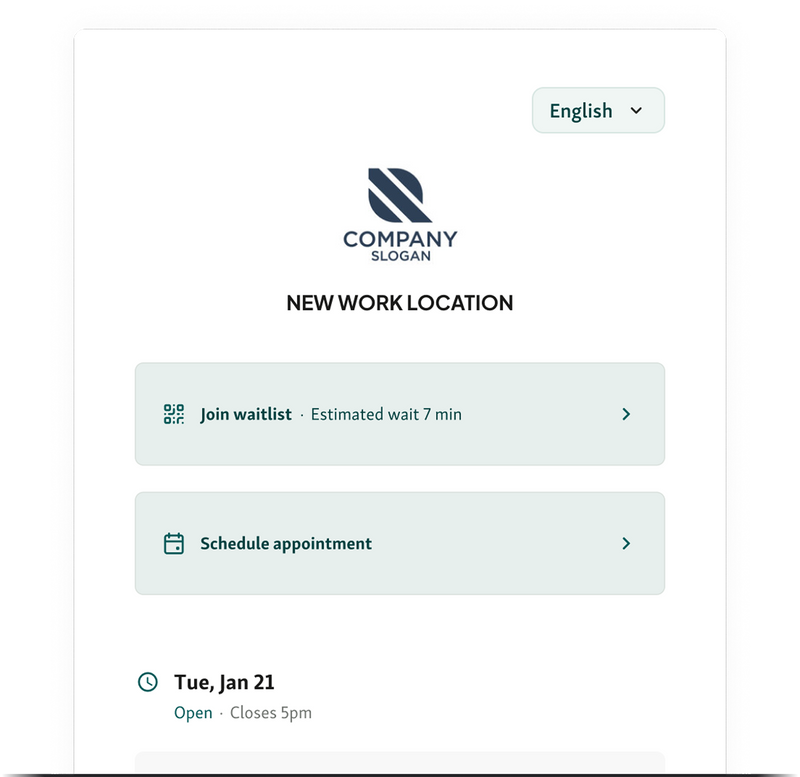
Example: A clinic allows patients to check in remotely before arriving. Patients come in closer to their actual service time, the waiting room stays uncrowded, and staff can focus on care instead of managing lines.
Also read - How Virtual Queuing Can Solve the DMV’s Long Wait Times
2. Self-Service Check-In Kiosks
Self-service check-in kiosks allow visitors to check themselves in as soon as they arrive, without needing staff assistance. This queue management system feature is especially useful during busy periods, when front desks can quickly become a bottleneck.

Instead of forming a line just to announce their arrival, visitors enter their details on a kiosk and are automatically added to the queue. This speeds up the check-in process and removes unnecessary back-and-forth between staff and visitors.
Here’s how it helps in practice:
Check-ins take seconds instead of minutes, even during peak hours.
Front-desk staff spend less time on admin and more time actually helping customers.
Visitor flow stays organized, even when multiple people arrive at once.
From an operational perspective, queue management system software with self-service kiosks improves accuracy as well. There’s less room for human error in manual check-ins, and arrival data is captured instantly.
Example: In a busy service center, visitors check in at a kiosk when they arrive instead of lining up at the desk. Staff stay focused on serving customers already in the queue, wait times drop, and the entry area no longer feels chaotic.
3. Real-Time Queue Visibility
Real-time queue visibility gives both staff and customers a clear view of what’s happening right now. With live dashboards and waiting room displays, everyone can see queue length, current wait times, and who’s being served. This queue management system feature removes guesswork and keeps expectations aligned.
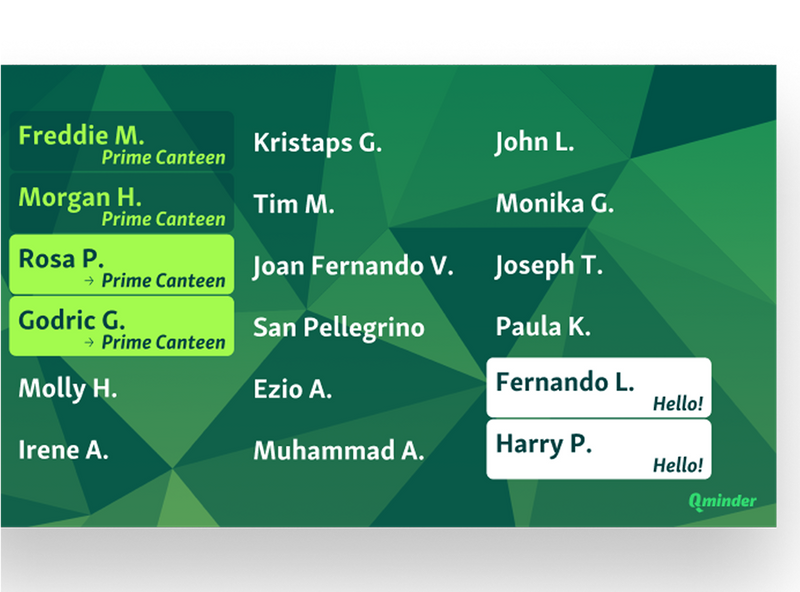
For customers, visibility reduces anxiety. They don’t have to keep checking in with staff or wonder if they’ve been forgotten. Seeing progress in real time makes waiting feel fair and predictable.
For staff, queue management system software with live visibility cuts down on constant interruptions. Fewer “How much longer?” questions means fewer distractions and more focus on actually delivering the service.
Why this matters day to day:
Customers understand where they are in the queue without asking.
Staff avoid repetitive questions and interruptions.
The waiting area feels calmer and more organized.
Example: In a busy clinic waiting room, a display shows which number is being served and the estimated wait time. Patients stay informed, staff stay focused, and the front desk isn’t constantly fielding the same questions.
4. Automated SMS and Email Notifications
Automated SMS and email notifications keep customers informed without putting more work on your team. This queue management system feature sends real-time updates when someone joins the queue, when their turn is coming up, or if there’s a delay. No manual follow-ups. No chasing people down.
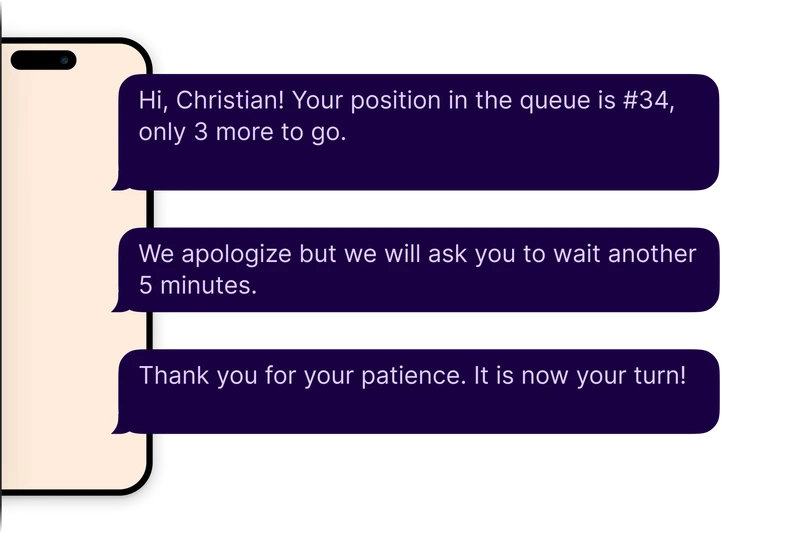
For customers, this removes uncertainty. They don’t have to stand nearby or keep checking the desk to see what’s happening. A simple message tells them exactly when to show up or how long the wait is.
For staff, queue management system software with automated notifications dramatically cuts down on interruptions. Fewer questions, fewer walkaways, and fewer missed turns because someone didn’t realize they were next.
Why this feature matters:
Customers stay informed even if they step away.
No-shows drop because people get timely reminders.
Staff spend less time communicating updates and more time serving.
Example: A service center sends an automated text when a customer is five minutes away from being served. The customer returns on time, the queue keeps moving, and staff don’t have to track people down or reshuffle the line.
You might also like - How Targeted SMS Alerts Can Cut Missed Appointments
5. Appointment Scheduling with Walk-In Support
Many businesses don’t operate on appointments alone. Walk-ins are part of the day-to-day reality, and a solid queue management system feature needs to handle both without causing friction. Appointment scheduling with walk-in support lets you manage scheduled visitors and spontaneous arrivals in one shared flow.

Instead of running two separate systems or manually juggling priorities, queue management system software brings appointments and walk-ins together in a single queue. This helps staff see the full picture at a glance and serve people in a fair, predictable way.
Why this matters:
Appointments are honored without pushing walk-ins to the back indefinitely.
Walk-ins don’t clog the front desk or disrupt the schedule.
Staff don’t have to make awkward judgment calls about who goes next.
When done right, this feature prevents bottlenecks and keeps service moving, even during busy periods.
Example: A clinic schedules appointments throughout the day but also accepts walk-ins. The system automatically balances both, spacing walk-ins between booked slots so everyone is served efficiently and no one feels skipped.
6. Service Categorization and Smart Routing
Service categorization and smart routing make sure customers end up in the right queue, not just any queue. When someone checks in, the system categorizes their visit based on their reason, urgency, or ticket type and routes them to the appropriate service or staff member. This queue management system feature prevents mismatches that slow everything down.
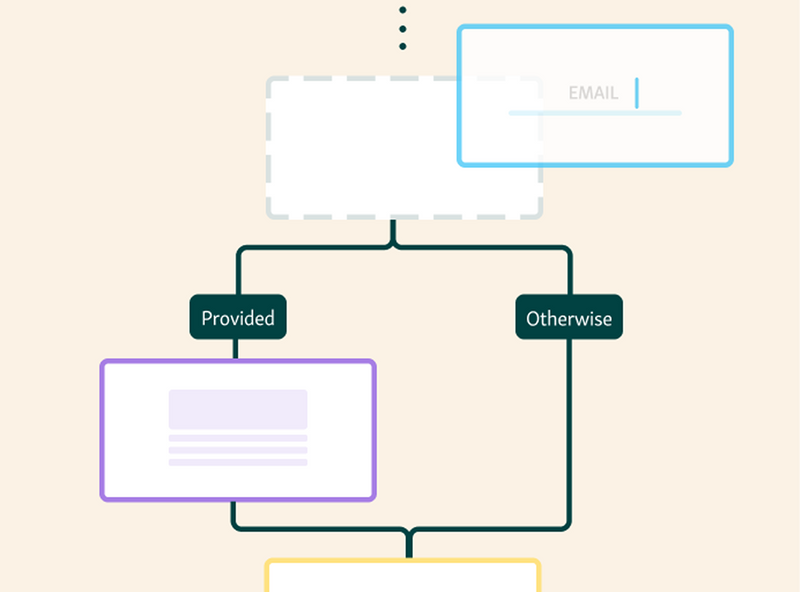
Without smart routing, simple requests can get stuck behind complex ones, and specialized staff end up handling work they shouldn’t be. Queue management system software fixes this by organizing demand before it becomes a bottleneck.
Why this makes a real difference:
Customers with simple needs are served quickly instead of waiting unnecessarily.
Complex or high-priority cases are routed to the right staff immediately.
Staff focus on the services they’re best equipped to handle.
This keeps queues moving efficiently and avoids wasted time on both sides.
Example: In a service center, customers select the reason for their visit during check-in. Quick questions are routed to general staff, while complex requests go straight to specialists, reducing overall wait times and keeping the queue balanced.
7. Analytics and Performance Reporting
Analytics and performance reporting turn everyday queue activity into something you can actually learn from. This queue management system feature tracks things like wait times, visit duration, peak hours, and staff performance, giving managers a clear view of what’s working and what isn’t.
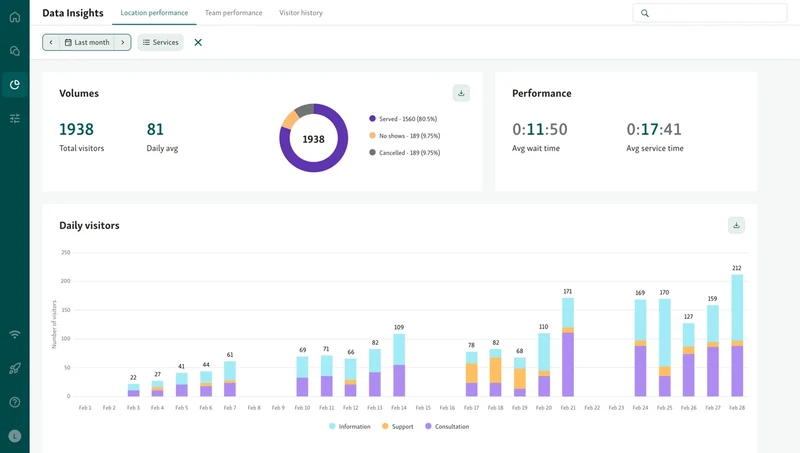
Instead of relying on gut feeling or complaints, queue management system software shows where bottlenecks form, which services take longer than expected, and when demand consistently spikes. That makes it easier to fix problems before they turn into bad customer experiences.
Why this matters for day-to-day decisions:
You can spot patterns that cause long waits and address them early.
Staffing decisions are based on real data, not assumptions.
Performance gaps become visible and easier to correct.
Example: A manager reviews reports and notices wait times spike every weekday afternoon. With that insight, staffing is adjusted during those hours, queues shorten, and service becomes more consistent.
Helpful read - Top Analytics Tools to Improve Visitor Flow in Government Buildings
8. Multi-Location and Scalable Setup
As a business grows, queues get harder to manage, especially across multiple locations. A queue management system built for scale allows you to manage all branches from a single place without adding complexity. This feature is essential for businesses that want consistency without micromanaging every location.

With the right queue management system software, managers can monitor performance across locations, compare wait times, and apply the same rules and workflows everywhere. At the same time, each location can still operate independently when needed.
Why this matters as you scale:
Consistent customer experience across all locations.
Central visibility without constant check-ins or manual reports.
Easier rollout of changes, updates, and best practices.
Example: A business with multiple branches uses one system to manage queues across all locations. Leadership can see which locations are struggling, apply fixes centrally, and scale operations without losing control.
9. Built-In Integrations
A queue management system shouldn’t live in isolation. As operations grow, it needs to connect with the tools your team already uses so data flows naturally instead of being copied, exported, or chased down manually. Integrations help turn queue activity into something your wider systems can actually act on.
With a platform like Qminder, integrations with tools such as Google Sheets, CRMs, scheduling software, identity providers like Okta, and workflow tools via Zapier allow queue data to move where it’s needed. This keeps service data useful beyond the front desk and reduces manual work for staff.
Why this matters as you scale:
Queue data flows into reporting, CRM, and planning tools automatically.
Staff avoid duplicate data entry and manual exports.
Security and access stay consistent with SSO and identity tools.
Example: A public-facing office connects its queue system to Google Sheets and a CRM. Visitor data updates automatically after each visit, giving managers clean reports and helping teams follow up without extra admin work.
Build a Queue Experience That Actually Works
Choosing the right queue management system isn’t about checking the most boxes. It’s about using something that works in real, high-traffic environments and continues to work as demand grows. A good system should feel intuitive for staff, clear for customers, and require little to no explanation on either side.
A system that actually works should do a few things well:
Be intuitive for staff and customers
Connect key features into one flow
Offer real-time visibility, not just reports
Scale without adding complexity
If you’re looking for a system that brings all of this together without adding complexity, Qminder is built for exactly that.
See how Qminder can help you run smoother queues, start today.
Most modern queue management systems can be set up quickly, often in days rather than weeks. The exact timeline depends on how many locations, services, and workflows you need to configure, but you shouldn’t expect a long or disruptive rollout.
Yes. Many systems support accessibility-friendly check-in options, large display screens, and mobile-based interactions, making it easier for customers with mobility, vision, or hearing challenges to navigate the queue without friction.
Even when wait times don’t change dramatically, visibility and communication make waits feel shorter. When customers know where they stand and what to expect, frustration drops and overall satisfaction improves.
Get to know our solutions
We will give you a short but great overview of how Qminder can improve your business and visitors experience.
Try out Qminder for yourself and see how we can improve your business and visitors experience.