

Long wait times in diagnostic and test labs don’t just frustrate patients, they also make the whole place feel less organized and less safe.
And it’s not a small issue either. Around 61% of physicians say their patients complain about wait times, which shows how much it shapes trust and overall experience. This is where a modern queue management system actually helps.
Labs and hospital centers use this kind of software to keep things moving, cut down on unnecessary contact, and make each visit feel calmer and more predictable. It helps both sides, patients feel safer, and staff can focus on doing their jobs instead of managing a room full of people.
In this blog, we'll look at the core problems in test labs, and you’ll see exactly how queue management systems solve those problems.
The Core Problems With Test Lab Queue Management
Before fixing the experience, it's important to understand what’s slowing clinics down. These points highlight the most common issues that make test lab visits stressful for both patients and staff:
1. Long and Unpredictable Wait Times
Walk-ins come in waves, quiet one moment, packed the next. When there’s no real system handling that jump, staff start guessing who’s next in line, the pace drops, and the whole place backs up. And it’s not a small issue either. About 30% of patients facing long waits end up leaving before they’re seen, and another 20% don’t come back at all, choosing a different provider instead.
2. Crowded Waiting Rooms
When several patients arrive around the same time, they often gather near the front desk or any open seating. Without something directing the flow, the space fills quickly and becomes difficult to manage. It also makes it harder to maintain comfortable spacing when the room is already tight.
3. Manual Check-In Issues
Paper check-ins slow things down right from the jump. Someone’s filling out forms, someone else is squinting at the handwriting, a small line forms behind them, and suddenly the whole front area feels jammed. It’s old-school in a way that doesn’t help anyone, especially when the place gets busy.
4. Poor Patient Communication
If people don’t get updates, they just assume nothing’s moving. They don’t know if they’re close or still way back in the line. So they walk up to the desk and ask, and then someone else asks, and it keeps repeating. It’s not that they’re impatient, they just have no information to go on.
5. Inefficient Resource Allocation
Staff can’t plan well when they don’t know who’s actually waiting or what each person needs. So they end up reacting on the spot, which throws off the whole flow of the day. One delay turns into three, and the rhythm disappears pretty quick.
6. High Stress for Staff
The front desk gets the brunt of it. They’re juggling sign-ins, questions, paperwork, and whatever sudden thing pops up. When all of that hits at once and there’s no automation backing them up, it’s a lot. And yes, things slow down because they’re being pulled in from five directions.
How to Make Test Lab Visits Safe With Queue Management
Once you know the challenges, the next step is applying the right queue management strategies. These pointers show how clinics can use modern tools to create safer, smoother, and more organized patient flow:
1. Introduce Digital Check-In Options
Digital check-ins change the first few minutes of a visit in a very practical way. Patients don’t end up standing in one place waiting for someone to collect details. They sign in before they arrive or right when they walk in, and the front area stays clearer. It’s a small shift, but it stops that usual cluster around the desk and makes the start of each visit easier to control.
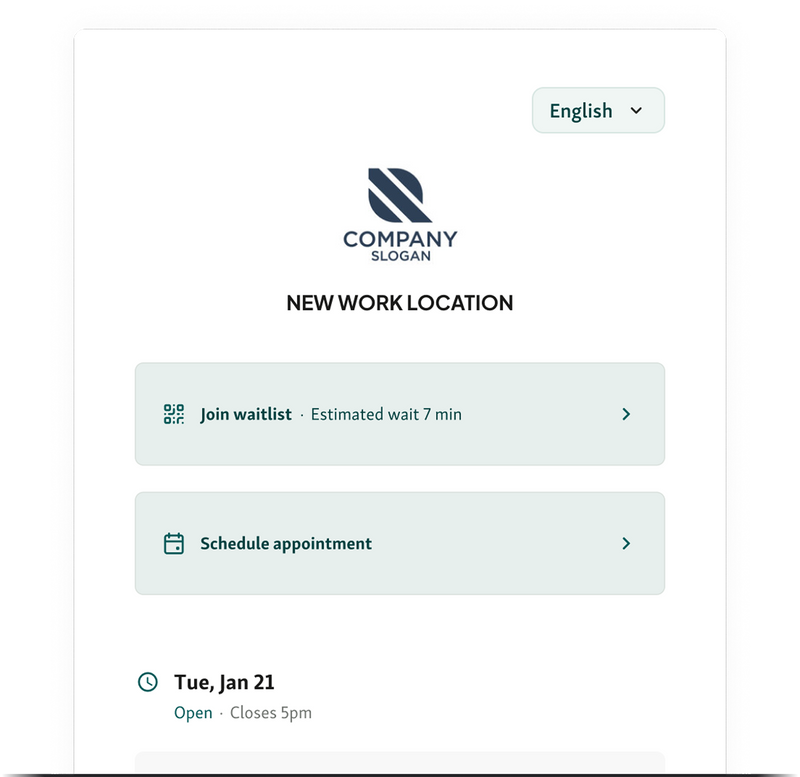
Different ways to set it up:
Online pre-registration: Patients enter their information earlier, so staff aren’t repeating the same steps at the desk.
QR code at the entrance: They scan it, confirm their visit, and move forward without waiting near reception.
Self-service kiosks: These help when many walk-ins show up. Patients check in directly without paper forms or extra back-and-forth.
Link check-ins to the queue system: Staff see the arrival, the purpose, and the timing right away, which helps them decide what to handle next.
Moving this part of the process away from the desk keeps the start of each visit steadier. It reduces the stop-and-start moments that usually build up and gives staff a clearer picture of what’s coming.
2. Use Virtual Queues to Spread Out Visitors
Virtual queues change how patients wait, mostly because they don’t need to stand inside the building at all. They can join the line before coming in, and check their place from their phone. It takes a lot of pressure off the front desk. The room doesn’t fill all at once, and staff can handle arrivals without trying to control a crowd. Even a small shift to this setup keeps the space calmer.
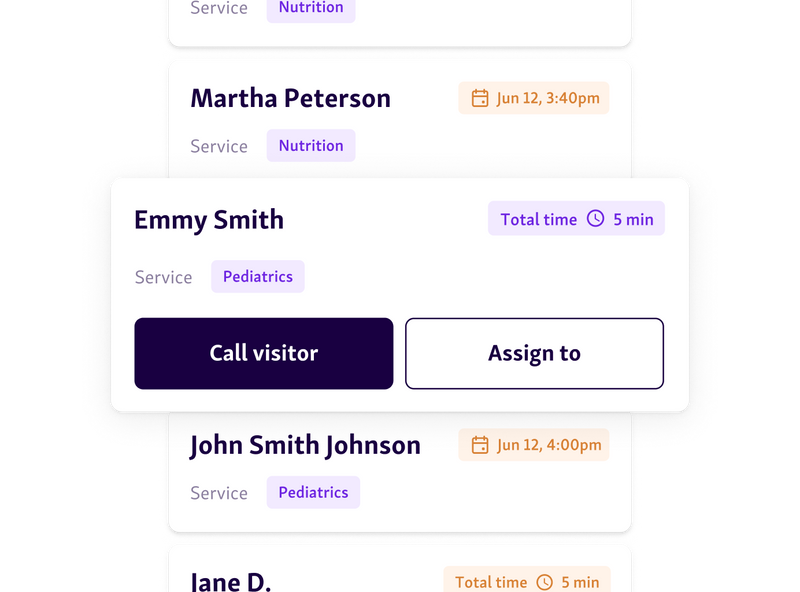
Ways to use virtual queues:
Join-from-anywhere check-ins: Patients enter the line before walking in. A link or QR code usually handles it.
Real-time text updates: Short messages tell them when to come inside, which keeps the entrance clear.
Two-way messaging: Staff can ask for a document or confirm something without calling the patient forward.
Capacity limits: If the waiting room is full, new arrivals stay in the virtual line until space opens.
Virtual queues help the clinic avoid those sudden crowded moments and make the day run at a steadier pace. It’s quieter for patients and easier for staff.
Helpful read - 32 Best Virtual Queue Systems – Free & Paid
3. Enable Real-Time Status Updates
Real-time SMS updates help because patients don’t need to wait near the desk to figure out what’s happening. They can see it on their phone and move only when needed. It keeps the room from filling too quickly, and staff don’t have to explain wait times again and again. Even small updates make a difference in how steady the flow feels.
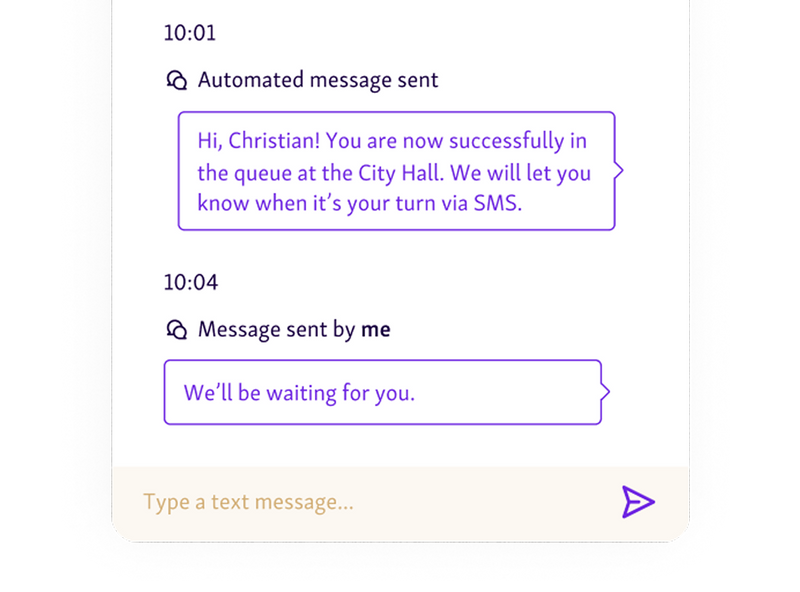
Ways real-time updates can be used:
Automated text alerts: A simple message shows where the patient is in line and a rough idea of the wait.
Delay messages: If something slows the lab, the system sends a quick note so patients aren’t guessing.
Entry reminders: A message tells them when to walk toward reception or the testing area, which helps keep hallways clearer.
Multiple channels: Text, email, or a mobile page, so each patient gets the update in the format they prefer.
With steady updates, patients know what’s going on without asking, and staff can focus on the work instead of repeating timing details.
4. Manage Capacity With Appointments + Walk-In Controls
Labs get crowded when appointments and walk-ins land at the same time. It happens fast. Staff can’t always react in time. A queue system helps by showing who is already inside and when the space is getting too full. It keeps the flow steady instead of sudden.

How to manage capacity more effectively:
Dual-mode scheduling: Appointments use set times. Walk-ins join a digital line. Both stay separate but easy to manage.
Real-time limits: When the room is near capacity, the system holds new walk-ins until space opens.
Staggered arrivals: Spread appointments so they don’t create a single surge.
Triage at check-in: Patients are sorted by test type or urgency so each line moves at its own speed.
With both groups running through one system, the room stays calmer and staff don’t get hit with everyone at once.
You might also like - Are Walk-Ins More Efficient Than Appointments?
5. Create Fast-Track Paths for Priority Cases
Not every patient can move through the same line. Some tests need quicker handling. Some cases are booked in advance. Others are time-sensitive. A queue system like Qminder helps separate these without slowing everyone else down.
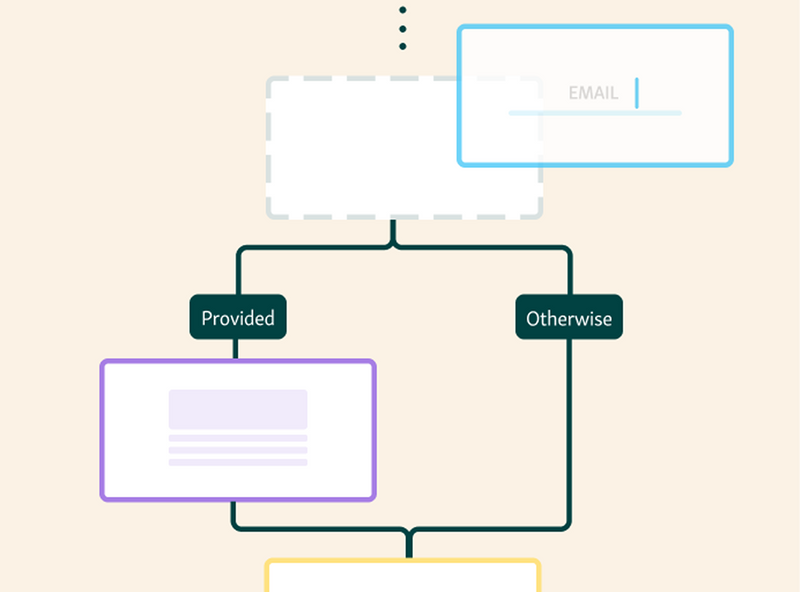
How to build fast-track pathways:
Priority routing: The system can move urgent or pre-booked cases into a separate fast-track line automatically.
Pre-arrival details: Patients can share the test type or urgency before coming in, so the system knows where to send them.
Dedicated staff: Set aside a technician or counter for these cases to keep the main line moving.
Skip-ahead rules: When possible, the system can call a priority patient sooner without disrupting the rest of the queue.
Fast-track routes lower pressure on staff and help urgent patients move through quicker, while the main flow stays steady and predictable.
6. Display Live Queue Info on Screens
People feel calmer when they know what’s going on. If the queue status is on a waiting room screen, they don’t have to keep asking staff or guessing how long they’ll wait. The room feels more organized, and the atmosphere is easier for everyone.

Ways to use live displays well:
Show their place in line: A simple number or status so patients know where they stand.
Keep the screen easy to read: Big text, clear sections, and colors that actually help.
Post quick alerts: If something changes, a delay, a room switch, put it on the screen right away.
Match what’s online: Whatever people see on SMS or their phone should match what’s on the monitor.
Live screens cut down questions, ease stress, and help staff manage busy periods without constant interruptions.
7. Use Analytics to Improve Flow
Good analytics data helps you see what’s slowing things down. Instead of guessing why waits pile up, you can look at actual patterns, who arrives when, which tests take longer, and where things start backing up. Once you see the problem, fixing it gets a lot easier.
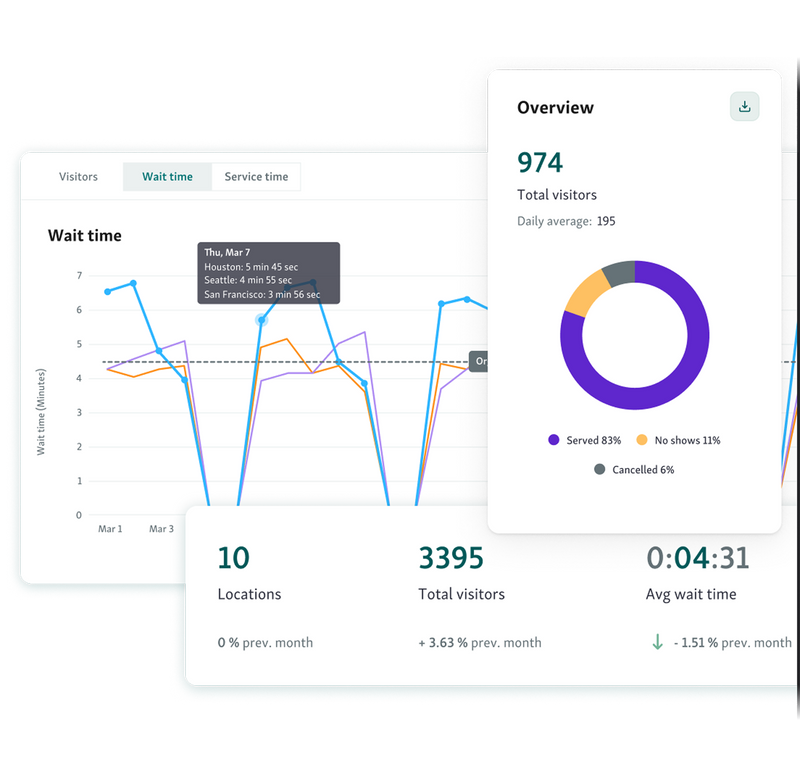
How to put the data to use:
Watch peak hours: Shift people around based on the busiest times of day.
Check service lengths: Some tests always take longer, give those extra room or staff.
Catch slowdowns early: If the dashboard shows a delay, step in before it snowballs.
Look at staff speed: Not for punishment, just to match roles to what each person handles best.
Track no-shows and sudden walk-ins: Helps with planning so the room doesn’t get packed all at once.
When labs use this kind of data day to day, the whole place runs steadier and safer, without staff scrambling to keep up.
Bonus read: How to Reduce Patient Wait Times in Hospitals
8. Maintain Distanced Seating and Patient Zoning
A safe test lab environment depends on smart separation, something modern queue management systems make far easier to maintain. Distanced seating and zoning help prevent clusters, reduce contact, and keep patient flow controlled even during high-demand hours.
How to implement safe zoning effectively:
Create color-coded seating zones: Assign patients to specific areas based on test type, urgency, or arrival time.
Use digital check-in rules to auto-assign zones: Tools like Qminder can direct each patient to the safest available space.
Set up overflow zones: Prepare secondary waiting areas for peak moments to avoid crowded rooms.
Add clear signage and screen prompts: Guide patients smoothly so no one wanders or gathers unnecessarily.
Rotate seating patterns throughout the day: Reduce surface reuse and improve infection control.
With structured zoning powered by a modern queue management system, labs keep patients spaced out and protected while maintaining steady, efficient flow.
Make Every Lab Visit Safer and Smoother
Keeping a test lab safe isn’t about one big fix, it’s a bunch of small, steady changes that make the whole place feel more controlled. When people aren’t bunching up at the front desk, when they get clear updates, and when the flow through each room makes sense, the day runs a lot calmer for both patients and staff.
If you’re trying to take your lab from “managing” to actually running smoothly, Qminder can handle most of the heavy lifting. It ties together virtual queuing, live updates, and clear analytics so the whole process feels safer from the moment someone checks in.
Book a Qminder demo and see it in action.
Yes. Even small clinics benefit because digital queues reduce front-desk pressure, improve patient flow, and add professionalism without needing major infrastructure.
Most modern systems let you create separate service categories so patients can be routed to the correct technician, room, or department automatically.
Not at all. These systems are designed to integrate gradually. Staff can start with digital check-in or SMS alerts and expand to full virtual queuing as they get comfortable.
Get to know our solutions
We will give you a short but great overview of how Qminder can improve your business and visitors experience.
Try out Qminder for yourself and see how we can improve your business and visitors experience.