

SMS notifications are widely used by enterprises because they reach customers quickly without requiring apps, logins, or complex setup. But the real pros and cons of this channel go beyond open rates or delivery speed.
In an enterprise context, the meaning of SMS notifications is tied to timing, consent, relevance, cost, and how well messages fit into the overall customer experience. A single SMS can confirm an appointment, update an order, or reduce no-shows in seconds.
Understanding these trade-offs is essential before scaling SMS across teams, locations, or customer touchpoints.
This article breaks down the practical pros and cons of using SMS notifications for enterprises, focusing on when they improve outcomes and when they introduce avoidable risks.
Pros of Using SMS Notifications for Enterprises
When used with clear intent, SMS notifications solve a very specific communication problem for enterprises: getting time-sensitive information in front of people without friction.
1. Faster and More Reliable Communication
The primary advantage of SMS notifications is speed and reliability with very little friction. An SMS message reaches customers directly, without requiring apps, logins, or a stable internet connection.
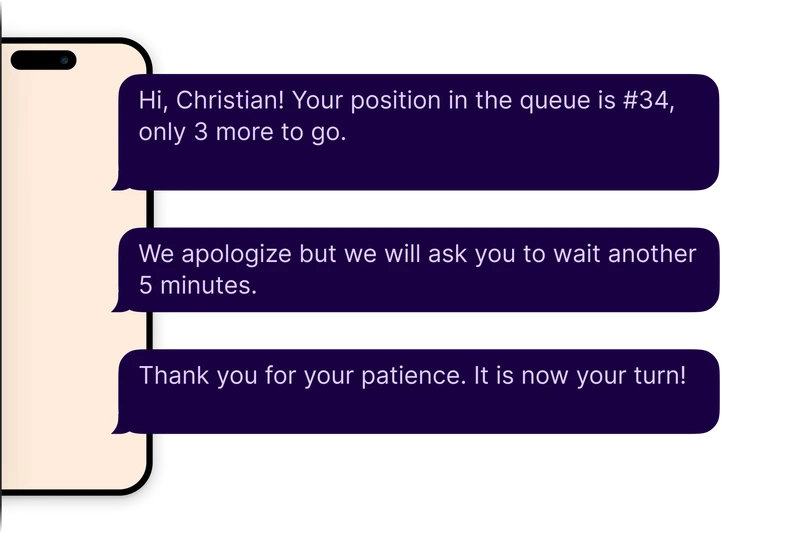
Why this works well for enterprises:
High open rates within minutes
SMS messages are typically read quickly, making them ideal for time-sensitive updates like appointments, delays, or reminders.
No reliance on apps or portals
Customers don’t need to download software, create accounts, or manage permissions.
Fewer technical failure points
Delivery isn’t affected by push notification settings, inactive sessions, or forgotten passwords.
Broad reach across customer segments
SMS works on basic phones and limited data plans, ensuring consistent communication across audiences.
For enterprises, this makes SMS notifications a dependable channel for critical updates where speed, clarity, and reach matter more than rich interaction.
Read also - How to Improve Customer Communication With SMS Text Messaging
2. Reduced No-Shows and Missed Appointments
Missed appointments create ripple effects across enterprise operations, from lost revenue to wasted staff time. SMS notifications help reduce those gaps by keeping bookings visible and top of mind for customers.
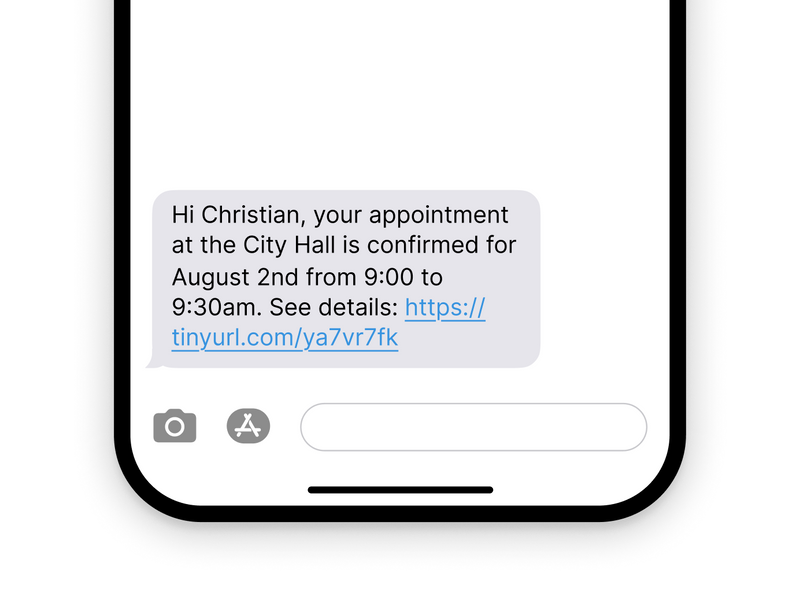
How reminders improve attendance:
Timely appointment reminders
A short SMS reminder helps customers remember bookings made days or weeks earlier.
Clear confirmation of date and time
Simple, direct messages reduce confusion about when and where to show up.
Fewer unused time slots
When fewer customers forget appointments, schedules stay full and predictable.
Less idle time for staff
Reduced no-shows mean teams spend more time serving customers instead of waiting.
In high-volume enterprise environments, SMS notifications become a practical way to protect capacity, stabilize schedules, and keep operations running smoothly.
You might also like - How Targeted SMS Alerts Can Cut Missed Appointments
3. Improved Customer Experience
Waiting without information is one of the biggest sources of frustration in enterprise environments. SMS notifications help reduce that uncertainty by keeping customers informed as things change.
How this improves the experience:
Real-time updates during delays or changes
Customers know what’s happening instead of guessing or repeatedly asking staff.
Clear expectations around timing
Messages help people plan arrivals better and avoid unnecessary waiting.
Less stress in high-pressure environments
Updates reduce anxiety in places like clinics, service centers, or busy retail locations.
A stronger sense of respect and transparency
Proactive communication signals that customers’ time is valued.
When used thoughtfully, automated SMS notifications don’t just share information. They make the overall service feel calmer, clearer, and more predictable for customers.
Read also - The Role of Personalized Messaging in Reducing Customer Wait Frustration
4. Lower Administrative Workload
A large portion of front-desk work in enterprise environments comes from answering the same questions over and over. Customer messaging help reduce that load by sharing key information before customers need to ask.
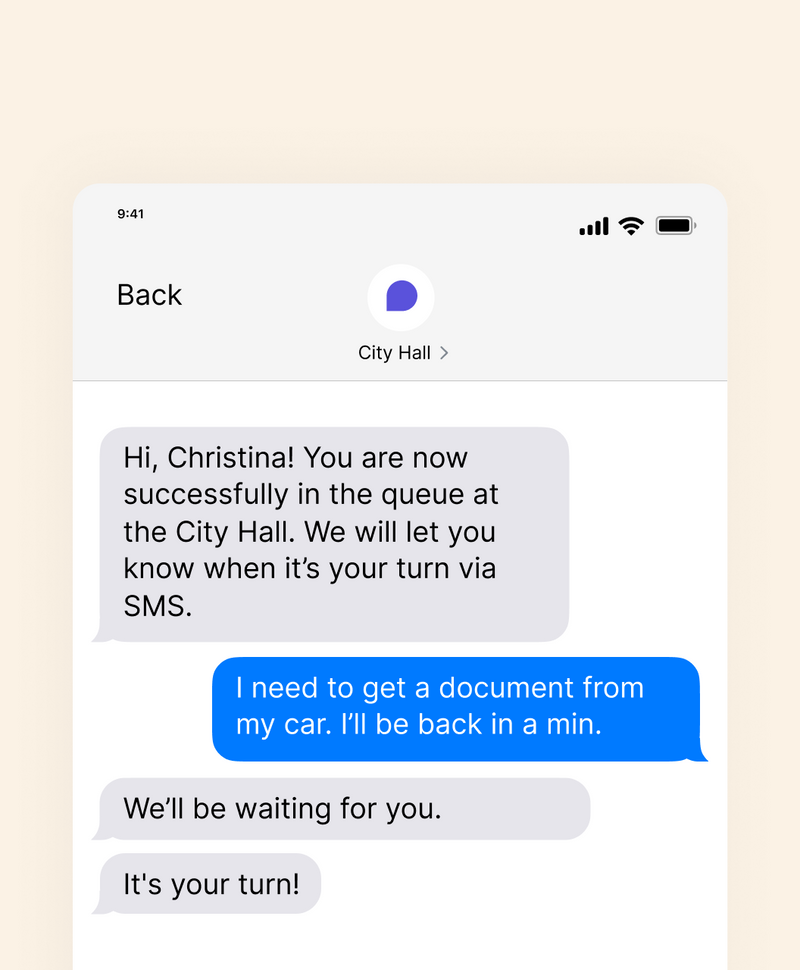
How this lowers administrative workload:
Fewer phone calls and walk-up questions
Updates on wait times, appointment status, or delays cut down “What’s my status?” inquiries.
Less interruption for frontline teams
Staff spend more time serving customers instead of handling routine follow-ups.
More predictable daily operations
Automated updates make queues and schedules easier to manage.
Reduced pressure during peak hours
Messages absorb much of the communication load when demand spikes.
When used at the right moments, SMS notifications move routine communication out of staff workflows and into a scalable, self-serve channel.
5. Cost-Effective at Scale
For large enterprises handling high volumes of customer interactions, communication costs can grow fast. SMS notifications offer a relatively low-cost way to reach customers without expanding support teams or adding new infrastructure.
Why this scales well:
Lower cost than phone calls or printed notices
A single SMS can replace time-consuming calls and physical mail.
No need for additional support staff
Messages are sent automatically without increasing headcount.
Handles high volume without strain
The same system can send hundreds or thousands of messages at once.
Well-suited for high-traffic operations
Retail, healthcare, and service centers benefit from consistent, repeatable communication.
At scale, SMS notifications keep communication costs predictable while supporting fast-moving, customer-facing operations.
Cons of Using SMS Notifications for Enterprises
While SMS notifications offer speed and broad reach, they also introduce risks that enterprises need to manage carefully as they scale customer communication.
1. Privacy and Data Protection Concerns
SMS was not designed for sensitive or detailed communication. Messages are sent in plain text and can be read by anyone with access to the device, which creates real privacy and security concerns for enterprises handling customer data.
Key risks to consider:
Exposure of sensitive information
Account details, payment updates, or health-related data should not be shared over SMS.
Shared or unsecured devices
Personal phones may be shared or unlocked, increasing the risk of unintended access.
Regulatory compliance challenges
Regulations like GDPR, HIPAA, and industry-specific privacy rules limit how customer data can be transmitted.
Because of these limitations, SMS notifications work best for alerts and reminders, not for confidential or detailed customer communication.
2. Limited Message Length and Context
SMS is built for short, direct messages, which limits how much information enterprises can communicate clearly. This becomes a challenge when updates involve complex instructions, policy changes, or actions that require explanation.
Where these limits show up:
Hard to explain multi-step actions
Detailed processes don’t fit well into a single text message.
Missing context
Short alerts can lack background, making intent unclear.
Higher chance of misinterpretation
Brief messages may create follow-up questions instead of clarity.
Because of these constraints, SMS notifications work best as prompts or nudges, pointing customers to email, portals, or apps where full context can be shared.
3. Accessibility and Digital Divide Issues
While SMS notifications are widely used, they don’t reach every audience equally. Relying on SMS as the only communication channel can unintentionally leave gaps, especially across diverse customer bases.
Key limitations to be aware of:
Uneven access to mobile service
Not all customers have reliable coverage, active numbers, or consistent connectivity.
Shared devices
In some households or workplaces, messages may not reach the intended individual directly.
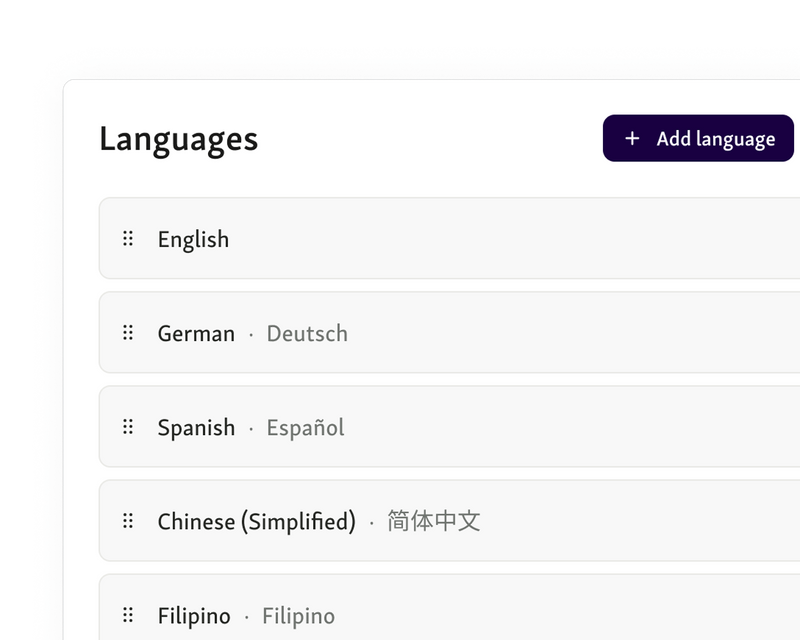
Language barriers
Single-language messages can reduce clarity for non-native speakers.
To minimize these gaps, SMS notifications work best as part of a broader communication mix, supported by multilingual messaging and alternative channels when needed.
4. Message Fatigue and Opt-Outs
Even when messages are useful, their impact drops fast if they’re sent too often. Overusing SMS notifications can turn a helpful channel into background noise or outright frustration.
Where problems tend to show up:
Too many messages in a short window
Frequent alerts feel intrusive when they don’t add clear or urgent value.
Lack of perceived control
Recipients disengage if they don’t understand why messages are being sent or how often to expect them.
Rising opt-out rates
Once people opt out, they’re likely to miss important updates later.
For enterprises, this creates a real trade-off. SMS notifications need to be timely and purposeful, or the channel loses trust and effectiveness when it matters most.
5. Dependence on Accurate Contact Data
SMS notifications only work if the contact data behind them is correct. When phone numbers are outdated or entered incorrectly, messages fail silently and the communication gap remains.
Where this becomes a problem:
Outdated or incorrect phone numbers
Customers may never receive reminders or updates if records aren’t current.
Delivery failures without visibility
Staff may assume messages were received when they weren’t.
Ongoing maintenance required
Phone numbers need regular validation and updates to stay reliable.
This makes data hygiene a hidden cost of SMS notifications. Without consistent cleanup and verification, effectiveness drops even if the messaging system itself works perfectly.
Read more - Top 6 Data Insights You Can Gain from Appointment Scheduling Software
Best Practices for Using SMS Notifications Effectively
Using SMS notifications well isn’t about sending more messages. It’s about sending the right message at the right moment, with as little friction as possible. Here are some best practices that you can follow:
1. Keep Messages Clear, Short, and Actionable
Each SMS notification should serve a single, clear purpose. Short messages written in plain language are easier to read, easier to understand, and less likely to create confusion. Avoid jargon, internal terms, or trying to combine multiple updates into one message.
2. Combine SMS With Other Communication Channels
SMS notifications work best when they support, not replace, other channels. Using SMS alongside email, online portals, and on-site screens ensures customers receive consistent information wherever they look. This reduces confusion and prevents gaps when one channel is missed.
3. Respect Consent and Preferences
Consent matters as much as delivery. SMS notifications should always be opt-in, with clear and simple opt-out options. Letting people choose what types of messages they receive helps maintain trust and reduces unnecessary opt-outs.
4. Use SMS as Part of a Broader Queue or Appointment System
SMS should be triggered by real service events, not sent manually or ad hoc. When SMS notifications are tied to live queue or appointment data, messages stay accurate, timely, and relevant. This avoids outdated alerts and keeps communication aligned with what’s actually happening.
Also read - 9 Proven Benefits of Online Queue Management Systems
Push vs SMS Notifications
Both channels are used by enterprises to keep customers informed, but they behave very differently in real-world service environments. Understanding push vs SMS notifications helps teams choose the right tool based on urgency, reach, and reliability rather than habit or convenience.
Aspect | SMS Notifications | Push Notifications |
Delivery requirement | Works on any mobile phone with a valid number | Requires a mobile app to be installed |
Internet dependency | No active internet connection required | Requires internet access |
Open rate | Typically very high and time-sensitive | Varies based on user settings and app usage |
Setup effort for customers | None beyond sharing a phone number | App download, login, and permissions needed |
Best suited for | Time-critical updates, reminders, queue alerts | Ongoing engagement, rich updates, non-urgent info |
Risk factors | Message fatigue, privacy constraints | Disabled notifications, app abandonment |
In the push vs SMS notifications decision, SMS is usually the safer choice for urgent, operational communication, while push works better when ongoing engagement and richer context are needed.
Use SMS Notifications With Intent, Not by Default
SMS notifications are powerful when they’re used for the right reasons. For enterprises, they deliver fast, reliable updates, reduce missed appointments, and take pressure off frontline teams in high-volume operations. But the pros and cons are real, and ignoring them creates risk.
Privacy concerns, message fatigue, accessibility gaps, and poor targeting can quickly erode trust if SMS is overused or treated as a catch-all channel. The key is balance. SMS notifications work best as part of a broader communication strategy, tied to real-time operational data and supported by other channels when more context or interaction is needed.
If you’re looking to use SMS notifications as part of a smarter queue or appointment flow, Qminder helps you do it the right way.
Book a demo to see how Qminder can support clear, timely, and compliant communication at scale.
In some industries, yes. If SMS notifications are used for customer communication, transaction updates, or regulated processes, they may fall under data retention, audit, or dispute-resolution requirements. The need to archive messages depends on industry regulations, contract terms, and internal compliance policies.
Not necessarily. While SMS is well suited for urgent updates, many enterprises use it for reminders, confirmations, and operational updates. The key is relevance and timing. SMS works best when messages are concise, expected, and clearly tied to a customer action or service event.
Enterprises usually measure effectiveness through business impact rather than open rates alone. Common signals include reduced no-shows, fewer support inquiries, improved on-time arrivals, faster service completion, and lower opt-out rates. These outcomes show whether SMS is helping customers act, not just receive messages.
Get to know our solutions
We will give you a short but great overview of how Qminder can improve your business and visitors experience.
Try out Qminder for yourself and see how we can improve your business and visitors experience.