
DMV visits have a reputation for slow-moving lines, crowded lobbies, and long waits. A big part of the problem is that most people still have to show up in person just to get into the queue. That’s why agencies are turning to remote check in options that let citizens join the line before they arrive.
A modern visitor check in system helps reduce walk-in pressure, smooth out peaks, and keep counters moving steadily. We’ve already seen how operational changes can cut wait times.
For instance, in California, the average wait for non-appointment visitors dropped from 73 minutes to 38 minutes through better staffing and extended hours, proof that smarter systems make a real difference.
In this blog, we’ll look at the top check in systems and how a digital check in system helps people skip the DMV line altogether.
Comparison Table: Top Remote Check-In Systems
This comparison table gives you a quick side-by-side look at the top remote check-in systems, who they’re best for, what they do best, and what they cost.
Tool | Ideal For | Key Strength | Pricing |
DMVs, government offices, clinics with heavy foot traffic | Easiest remote check-in setup, strong analytics, no hardware required, multilingual, two-way messaging | Free trial; $389–$1049/mo | |
Qmatic | Large DMVs, public agencies, healthcare systems | Robust virtual queuing with appointment booking, mobile tickets, and staff mobility tools | Pricing available on request |
Qnomy | Multi-department DMVs, public agencies, hospitals | Digital waiting room + deep workflow control for complex operations | Pricing available on request |
Wavetec | Enterprise-level DMVs, banks, telecom, large government centers | WhatsApp queueing, predictive analytics, digital signage, multi-channel check-in | Pricing available on request |
Qwaiting | Hospitals, government centers, airports, banks | User-friendly remote queueing with strong reporting and multi-branch control | Pricing available on request |
Nemo-Q | DMVs, clinics, universities, public-facing offices | Real-time remote queueing with digital tickets and strong analytics | Starts at $290/mo |
QueuePad | Small clinics, solo practices, low-volume locations | Offline-friendly QR check-in with instant setup and no app required | Free tier; $19.99/mo |
Top 7 Remote Check-In Systems
Remote check-in tools make it possible for people to join the queue before they arrive, easing pressure on crowded DMVs and helping staff manage demand more smoothly. This section will look at the top systems that make skipping the line possible.
1. Qminder
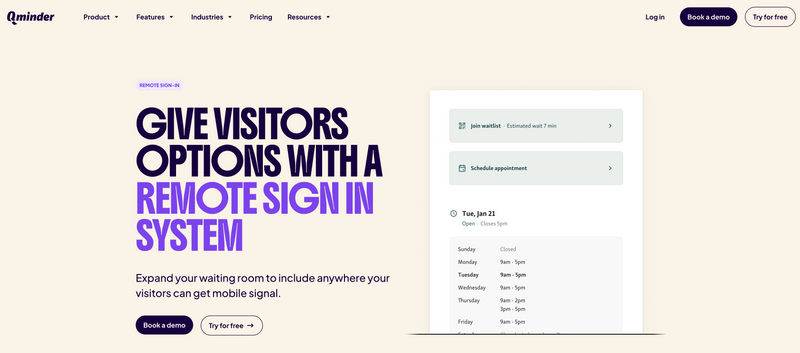
Qminder operates as a remote check in and visitor check in system that lets citizens skip lines completely, perfect for DMVs drowning in lobby chaos. Forget standing at kiosks or clutching paper numbers. Visitors check in remotely using QR codes or links to your visitor website.
After joining the virtual queue through this digital check in system, they enter details, pick services, and receive SMS updates. Front-desk pressure evaporates, on-site lines shrink, and people wait from cars, homes, or coffee shops. Staff monitors everything through a service dashboard displaying all sign-ins, remote and on-site, for better flow management, visitor calling, and workload distribution.
Key Features:
Visitors join waitlists remotely via QR codes or unique sign-in links
Capture details and service needs before arrival
Real-time queue position updates through the check in system
Single dashboard manages walk-in and virtual visitors
Analytics expose performance metrics, peak hours, visitor trends
Multilingual sign-in and communication for diverse populations
Two-way messaging guides waiting visitors
Zero app downloads or hardware requirements
Pros:
Dead simple for visitors and staff alike
Powerful analytics for high-traffic location management
Perfect for government offices, DMVs, clinics
Keeps front desks available for unexpected walk-ins
Cons:
Overkill for tiny, low-traffic locations
G2 Rating: 4.6
Pricing:
Free 14-day trial included
Starter: $389/month
Business: $789/month
Premium (recommended): $1049/month
2. Qmatic

Qmatic delivers remote check in and queue management for high-traffic public services, DMVs, government branches, healthcare facilities. Citizens join virtual queues through SMS, QR codes, or URL links instead of packing into waiting areas.
The visitor check in system generates mobile tickets letting people wait remotely while tracking real-time progress. Alerts ping when their turn approaches, cutting perceived wait times and giving control back to visitors.
Key Features:
Remote queue joining via SMS, QR code, or URL mobile ticketing
Real-time queue tracking from phones
Turn-approaching alerts keep visitors informed
Online appointment booking cuts unscheduled walk-ins
Staff mobility apps for visitor support anywhere
Messaging handles confirmations, reminders, updates
Pros:
Virtual queuing crushes on-site crowding
Staff tools streamline flow and service efficiency
Deep analytics enable data-driven improvements
Cons:
Setup and configuration intimidates non-technical teams
Feature overload for smaller offices
G2 Rating: 3.8
Pricing: Available upon request.
3. Qnomy
Qnomy provides remote check in and virtual lobby technology for complex multi-service environments, DMVs, government offices, hospitals, public agencies. Their Virtual Lobby creates digital waiting rooms where people check in remotely, manage appointments, and wait from anywhere instead of physical lines.
The visitor check in system lets citizens scan QR codes, click links, or use kiosks to enter queues, then track status live on phones. The digital check in system routes visitors correctly, coordinates appointments, and keeps departments synchronized behind scenes.
Key Features:
Digital waiting room enables remote check-in and virtual queuing
Appointment scheduling integrated with flow management
Automated routing to correct service points
Staff tools for resource allocation and service coordination
Analytics reveal visitor behavior for operational improvements
Customizable virtual lobby branding
Integrations with existing systems and infrastructure
Pros:
Perfect for agencies needing coordinated front/back office operations
Workflows and branding customize deeply
Virtual lobby eliminates physical crowding and confusion
Cons:
Setup demands support to match operational structures
Interface overwhelms small teams with simple needs
G2 Rating: 4.3
Pricing: Price available on request.
4. Wavetec

Wavetec powers remote check in and virtual queuing for massive organizations, DMVs, government agencies, banks, telecom, healthcare. The visitor check in system lets people queue up from anywhere using WhatsApp, QR codes, SMS, mobile apps, or online tickets.
After checking in, visitors get virtual tickets plus real-time line updates, slashing crowds, stress, and on-site waiting. The digital check in system handles hybrid queues, self-service kiosks, and digital signage, multiple paths to streamline arrivals.
Key Features:
Remote queue joining through WhatsApp, QR, SMS, or mobile
Online appointments integrated with virtual queuing
Self-service kiosks handle check-in, ticketing, information
Digital signage shows queue visibility and live communication
Predictive dashboards, reporting, queue analytics
Staff mobility tools for floor service and queue adjustments
Pros:
WhatsApp-based remote check in drives high engagement
Virtual queuing, check-in tools, feedback collection in one package
Analytics reveal traffic patterns and service performance
Cons:
Kiosk deployment and cross-department coordination needs planning
Feedback and analytics modules complicate setup
G2 Rating: 4.8
Pricing: Available on request.
5. Qwaiting

Qwaiting runs cloud-based remote check in and virtual queuing across hospitals, government offices, banks, airports, and public centers. The visitor check in system lets people join queues from anywhere, phone, QR code, or on-site kiosk.
Once checked in, visitors receive mobile tickets showing queue position and estimated wait, making remote waiting from outside, off-premises, or home simple. The digital check in system cuts crowding, improves flow, and gives organizations live visibility of every queued visitor.
Key Features:
Join queues remotely through mobile, QR codes, web links, kiosks
Mobile tickets display live position and wait estimates
Real-time SMS or email notifications
Online appointments integrate with virtual queues
Staff apps manage queues and visitor insights
Customer feedback collection via mobile
Pros:
User-friendly for visitors and staff
Excellent real-time reporting and multi-branch control
Remote check-in eliminates physical lines
Cons:
Customization depends on pricing tier
Mobile UI drags in heavy traffic
G2 Rating: 4.7
Pricing: Available on request.
6. Nemo-Q
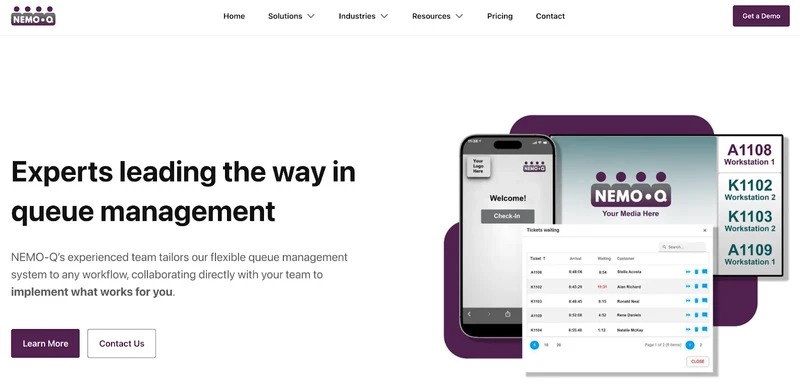
Nemo-Q delivers remote check in and virtual queuing for government offices, DMVs, clinics, hospitals, universities, and retail centers fighting lobby congestion and visitor flow problems. The visitor check in system lets people scan QR codes, book online, or check in from mobile sites.
After joining virtual lines, Nemo-Q sends digital tickets to phones with live updates, queue position, wait estimates, next location. The digital check in system stays contactless, simple for visitors, and keeps lines organized across departments.
Key Features:
Virtual queue joining via QR codes, kiosks, mobile web
Live updates through SMS, email, mobile notifications
Digital signage shows queue status, waits, instructions
Mobile/web check-in blended with appointments
Virtual tickets for waiting anywhere—inside, outside, off-site
Service dashboard for reassigning and managing visitors
Pros:
Perfect for combining virtual and onsite check-ins
Handles multiple entrances, counters, departments
Analytics drive continuous improvements
Cons:
Staff needs training for appointments plus walk-ins
Digital signage and advanced settings take configuration time
G2 Rating: N/A
Pricing: Starts at $290/month.
7. QueuePad
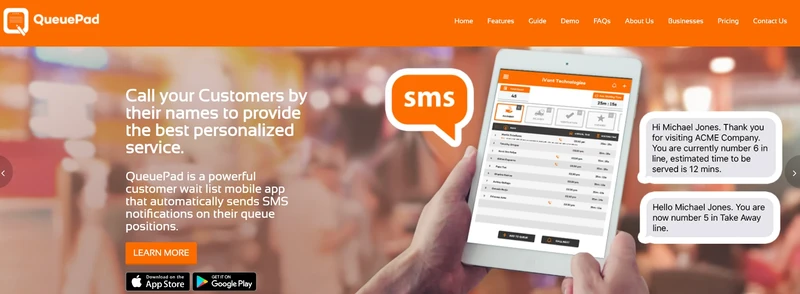
QueuePad offers lightweight remote check in and waitlist management for small clinics, salons, and solo practices needing simple solutions. Visitors join queues by scanning QR codes or clicking web links, no downloads needed.
The visitor check in system assigns spots, sends SMS updates about turns, and syncs with display screens inside clinics. For spots with sketchy internet, QueuePad's digital check in system maintains basic offline queuing, practical for small teams.
Key Features:
QR code check-in without app installation
Mobile queue syncs with iPad/TV displays for live updates
SMS notifications for queue status and turn alerts
Offline mode handles basic queuing during internet drops
Re-call no-shows and personalized name calling
Multiple services and separate queue lines
Pros:
Setup takes minutes without IT help
Perfect for small clinics and low-volume environments
Offline mode saves unstable internet locations
Cons:
Minimal reporting and analytics
Few integrations or customization options
Free version caps queues and services
G2 Rating: 3.3
Pricing: Starts at $19.99/month, limited free tier available.
Also Read - 32 Best Virtual Queue Systems – Free & Paid
Make DMV Visits Faster With Remote Check-In Systems
Remote check-in tools transform the DMV experience completely. People join queues from phones, receive live updates, and arrive precisely when needed, no more endless standing around.
The systems in this guide, from basic queue apps to enterprise platforms, slash lobby congestion, boost staff efficiency, and deliver predictable visits. Single office or dozens of locations, the right remote check in solution revolutionizes your workflow.
For a proven, easy-to-deploy option, Qminder delivers rock-solid digital check in system experiences for DMVs.
Start your free 14-day Qminder trial today.
Yes. Most platforms allow your office to manage scheduled visitors and walk-ins in the same dashboard, so staff can prioritize based on real-time demand.
They can. Many systems send reminders, turn alerts, or status updates that keep citizens engaged and less likely to forget their spot in line.
Any basic smartphone with a browser or SMS capability works. Most tools don’t require app downloads, making them accessible for people with older devices.
Get to know our solutions
We will give you a short but great overview of how Qminder can improve your business and visitors experience.
Try out Qminder for yourself and see how we can improve your business and visitors experience.